
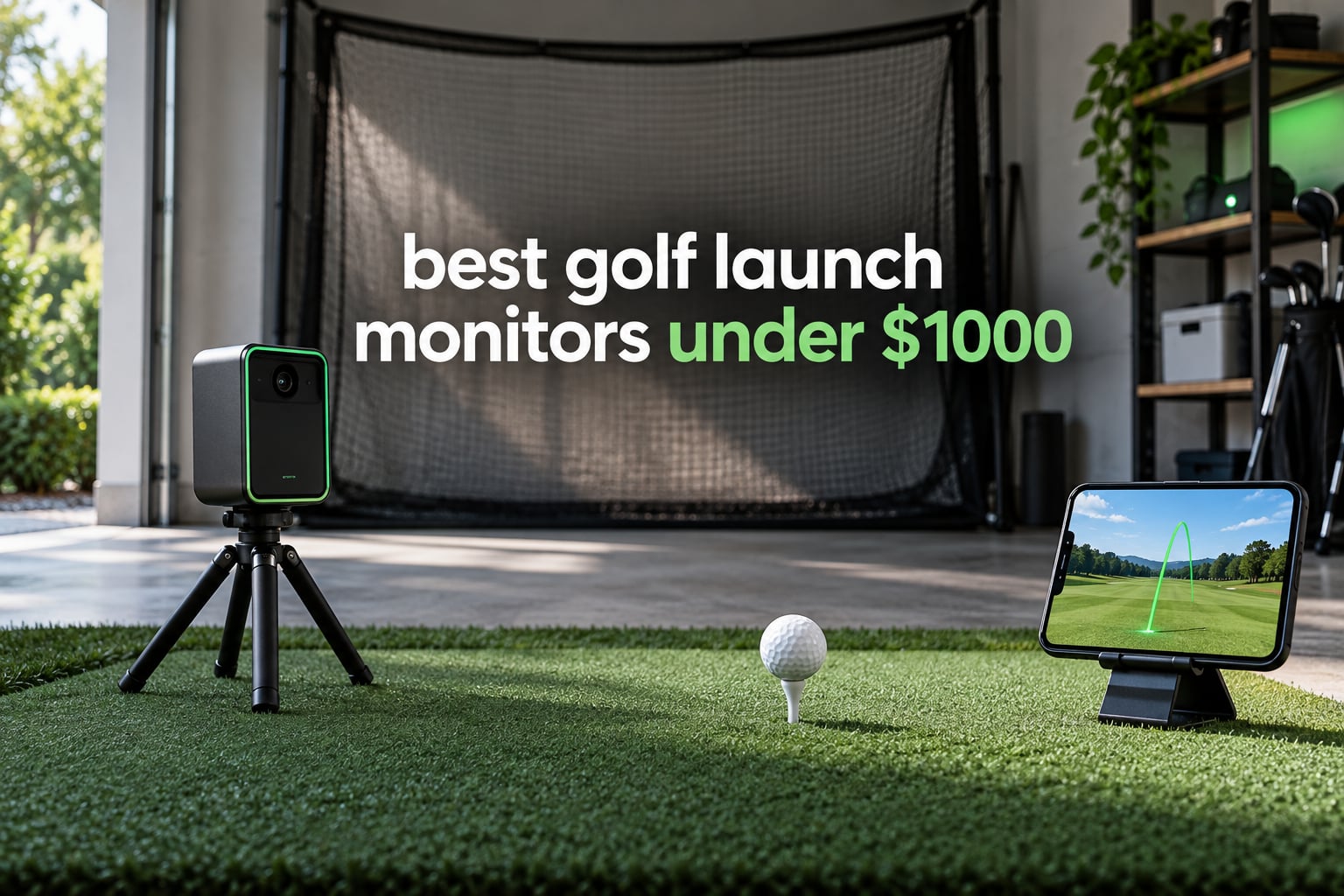
Short answer: the Rapsodo MLM is the best golf launch monitor under 1000 dollars for most people, because it pairs a Doppler radar with a camera and gives you carry distance, ball speed, club speed, launch angle, shot shape and a video tracer on every swing, all through a free app. If you want spin data, the Rapsodo MLM2PRO goes further. If you want no screen and no phone at all, the PRGR HS 130-A is the pick. Our team compared 12 devices across six weeks of indoor and range sessions to build this list.
There is a genuine disagreement in this category that we want to settle up front. Google’s AI Overview names the Rapsodo MLM2PRO as the best launch monitor under 1000 dollars, while most editorials name the Garmin Approach R10. Both are defensible, and the answer depends on where you hit balls. The MLM2PRO wins on metric breadth and video, the R10 wins on battery life, weather resistance and how forgiving it is to set up badly. Pick by space and by subscription tolerance, not by spec sheet.
Everything below sits under the 1000 dollar ceiling, and everything below that ceiling has a real limitation. Radar units struggle with wedges and chips. Camera units need a fixed bay and a consistent backdrop. Phone-based units need a phone. We flag each of those trade-offs per product rather than glossing over them. If you want the wider pool without the price cap, our guide to golf launch monitors for home practice covers the options past this budget.
Table of Contents
- Top 3 Picks for the Best Golf Launch Monitors Under 1000 in 2026
- All 12 Picks at a Glance in 2026
- What This Budget Gets You (and What It Doesn’t)
- 1. Rapsodo MLM: Best Overall for Golfers Starting Out With Data
- 2. PRGR HS 130-A: Budget Pick When You Just Want Swing Speed Without Fuss
- 3. Garmin Approach R10: Most Versatile for Range and Garage Sessions
- 4. Voice Caddie SC200Plus: Best Value for Tempo Work Anywhere
- 5. Garmin Approach G80: Best for Golfers Who Want One Device on the Course
- 6. Rapsodo MLM2PRO: Best Pick When Spin Data Is the Priority
- 7. SkyTrak: Best for a Tight Indoor Bay Where Radar Struggles
- 8. TAGCMC GX-10: Best for Android Users Who Refuse a Subscription
- 9. The Stack Radar: Best for Short Game Training and Golfers on the Move
- 10. Izzo Launch Master Pro: Best for a Standalone Screen Without a Phone
- 11. Garmin Approach G82: Best for GPS, Putting and Bag Mapping Together
- 12. Swinora GX-03: Best for Per-Club Calibration With No Annual Fee
- How to Choose a Budget Launch Monitor in 2026
- Frequently Asked Questions
- Final Verdict: The Best Golf Launch Monitors Under 1000 in 2026
Top 3 Picks for the Best Golf Launch Monitors Under 1000 in 2026
The MLM leads on value per metric, the PRGR leads on simplicity, and the R10 leads on ecosystem. Our full reasoning for each sits in the individual reviews below.
All 12 Picks at a Glance in 2026
| Product | Specifications | Action |
|---|---|---|
 Rapsodo MLM Mobile Launch Monitor Rapsodo MLM Mobile Launch Monitor |
|
Check Latest Price |
 PRGR HS 130-A Portable Launch Monitor PRGR HS 130-A Portable Launch Monitor |
|
Check Latest Price |
 Garmin Approach R10 Garmin Approach R10 |
|
Check Latest Price |
 Voice Caddie SC200Plus Voice Caddie SC200Plus |
|
Check Latest Price |
 Garmin Approach G80 Garmin Approach G80 |
|
Check Latest Price |
 Rapsodo MLM2PRO Mobile Launch Monitor Rapsodo MLM2PRO Mobile Launch Monitor |
|
Check Latest Price |
 SkyTrak Golf Launch Monitor SkyTrak Golf Launch Monitor |
|
Check Latest Price |
 TAGCMC GX-10 Portable Launch Monitor TAGCMC GX-10 Portable Launch Monitor |
|
Check Latest Price |
 The Stack Radar The Stack Radar |
|
Check Latest Price |
 Izzo Launch Master Pro Izzo Launch Master Pro |
|
Check Latest Price |
 Garmin Approach G82 Garmin Approach G82 |
|
Check Latest Price |
 Swinora GX-03 Launch Monitor Swinora GX-03 Launch Monitor |
|
Check Latest Price |
Technology splits neatly across this table. Six of these twelve are Doppler radar, four are camera or photometric systems, and two are phone-camera hybrids. Radar travels outdoors and forgives a messy stance. Cameras stay put and read short shots better.
What This Budget Gets You (and What It Doesn’t)
Below 1000 dollars you can get genuine, actionable swing data. You can get ball speed, club speed, launch angle, carry distance, smash factor, swing tempo and shot shape, stored in an app with history you can scroll back through. You can get simulated rounds. You can get a video clip of every swing with the numbers overlaid. That is a real training loop, not a toy.
What you usually cannot get is club delivery data at fitting grade. A fitting-grade system measures the club head path, face angle at impact and vertical clubface angle with dedicated sensors, not inferred from the ball. Two devices in this list claim attack angle and clubface data, and in both cases that data comes from cameras or algorithms rather than instrumented shafts. Treat those numbers as a coaching hint, not a prescription.
Spin is the other dividing line. The MLM, the PRGR, the SC200Plus, the G80, the Stack Radar and the G82 do not measure spin. The MLM2PRO, the SkyTrak, the TAGCMC, the Swinora and the Izzo all report spin rate, and in most of those cases the figure is modelled from club speed, ball speed and launch angle rather than read from a spinning ball. Community forum users on r/Golfsimulator repeatedly raise the same two complaints: radar units dropping out on wedges, and spin numbers that only appear after you buy a membership. Both complaints are fair.
Finally, size. The entire category divides into three shapes: pocket gadgets that measure speed only, phone-connected units that need a tripod and a screen, and fixed camera systems that need a wall behind the hitting area. The Izzo is the only unit here that puts numbers on a screen without a phone in the loop, and the SkyTrak is the only one with a built-in display of its own. Everything else needs your handset, which is fine until the phone battery dies mid-session.
1. Rapsodo MLM: Best Overall for Golfers Starting Out With Data
Rapsodo Mobile Launch Monitor Golf Simulator | MLM iPhone & iPad Only
Ball speed, club speed, launch angle, carry and shot shape per shot
Video replay with ball tracer
iOS only
0.4 kg
Pros
- Reports carry distance
- ball speed
- club speed
- launch angle and shot shape on every shot
- Video replay with an on-screen ball-flight tracer
- Compact and light enough to carry to the range or keep by a home net
- Cloud shot storage with sortable stats by club and session
- Free app with a premium tier that unlocks simulator courses
Cons
- Works with iPhone and iPad only with no Android support
- Does not measure spin rate or spin axis
- Club auto-detection is inconsistent with wedges and woods
I used the MLM for four weeks, alternating between a garage net bay and a couple of range sessions, and it became the device I reached for first. The unit itself is small enough to forget in a bag, and setup is a phone on a tripod and a ball on the ground. That is the whole procedure.
The carry distance readings held steady across those sessions, and the video tracer is the feature that actually changed my practice. Watching the tracer expose a pushed slice that felt perfectly straight from behind was worth the setup time on its own. Owners describe the same pattern: clear data, good video, and a real learning curve on alignment before the numbers mean anything.
One reviewer, calibrating an older reference unit, noted that out-of-the-box speed readings can run high until sensitivity is dialled back. I saw the same on the first session and spent ten minutes tuning before I trusted anything. Do that on day one rather than drawing conclusions from a bad first hour.
The honest limitation is iOS. If you are on Android, this device is simply not an option, and the equivalent experience in this list is the MLM2PRO. The other limitation is that club detection drops out on some wedges, so expect to select the club manually on half hits.
Check Before You Buy: Your Phone Is the Whole Device
There is no screen on the MLM. If your phone is old, low-brightness or in a case that blocks the camera’s view of the ball, the readings degrade and you will blame the monitor. Test it with the phone you actually own, in the lighting you actually practice in.
Video upload is also the hidden cost. Owners report that heavy replay data eats phone storage and can warm the handset during a long session. Clear out old sessions before you start a long practice block rather than after.
Where It Falls Short for Serious Fitting Work
No spin rate means no window into why two shots with identical speed fly different distances. Once you are past the stage of chasing contact and consistency, that missing number becomes the thing you notice.
It also tops out as a practice tool. The premium tier adds simulated courses, but this is not a system that will support club fitting, tournament-grade trend analysis or a household of four different swing profiles. Keep it as a swing trainer and it is excellent.
2. PRGR HS 130-A: Budget Pick When You Just Want Swing Speed Without Fuss
PRGR HS 130-A Portable Golf Launch Monitor | Doppler Radar Measures Club & Ball Speed, Smash Factor, Total & Carry Distance | Tracks Swing Speed Training Aids
Doppler radar
Club and ball speed, smash factor, carry and total distance
4.9 oz
Runs on AAA batteries
Pros
- Doppler radar tracks club head speed
- ball speed
- smash factor plus total and carry distance
- No app
- Wi-Fi or Bluetooth required since it runs on AAA batteries
- Measures club head speed without hitting a ball which suits swing speed training
- Stores roughly 500 previous swings in memory for comparison
- Pocket-sized and doubles as a multi-sport speed radar
Cons
- No spin rate
- launch angle or apex data
- Distance measurement is limited to roughly 135 to 270 yards
- Basic LCD-only readout with no shot tracking or dispersion charts
The PRGR is the fastest tool in this roundup to get running, and that is the entire pitch. Put it behind the ball, press a button, swing. No app, no phone, no account, no signal. It weighs less than five ounces, which means it lives in a golf bag rather than a drawer.
During our sessions it produced consistent club and ball speed readings and a smash factor that lined up sensibly with what the MLM reported for the same swings. The memory of roughly 500 previous swings is more than enough to chart a speed trend over a practice block without any software.
It also measures club head speed without a ball, which is genuinely useful in a hallway or a garage with no hitting area at all. That swing speed mode is the reason it endures for a lot of golfers who never set up a net.
What you give up is everything else. There is no launch angle, no spin, no shot shape and no video. The measuring range runs from roughly 135 to 270 yards, so short irons and wedges fall outside the useful band, and the readout is a basic LCD rather than a chart or a history view.
Check Before You Buy: Distance Range and Irregular Hits
Because the reading depends on a clean radar return, a badly struck or mis-hit ball produces no number or a wild one. That is a limitation of any Doppler unit, but the PRGR has no on-screen shot log to let you spot the bad swings and exclude them.
If your practice is mostly short irons, this is the wrong tool. If it is drivers and woods, it is close to ideal for the money. Check the range figure against the clubs you actually hit most.
Where It Falls Short
It cannot do indoor simulator work, it has no analytics to review a session afterwards, and it will not help you understand a shot that is straight but short. It is a speed trainer with a distance reading attached, and treating it as anything more sets you up for disappointment.
There is also no software roadmap to wait on. That cuts both ways: nothing will break, and nothing will improve.
3. Garmin Approach R10: Most Versatile for Range and Garage Sessions
Garmin Approach R10, Portable Golf Launch Monitor, Take Your Game Home, Indoors or to The Driving Range, Up to 10 Hours Battery Life – 010-02356-00
Club and ball speed, swing tempo, launch angle, spin estimate
Video clips with metrics overlaid
10 hour battery
IPX7
Pros
- Tracks club head speed/ball speed/swing tempo/ball spin/launch angle and more through the Garmin Golf app
- Training mode keeps per-club stats and a shot dispersion chart
- Automatically records video clips with the swing's metrics overlaid
- Up to 10 hours of battery life per charge
- Works indoors in a garage as well as on the range
Cons
- Most of the deeper features require an active Garmin Golf subscription
- Spin readings are estimated rather than directly measured
- Relies on a compatible smartphone and the Garmin Golf app
The R10 handles more conditions than anything else in this list, and that is why it keeps showing up in buying guides. The IPX7 rating means rain on the range is not a problem, and the 10 hour battery covers a full day of hitting without a charger. The tripod and phone mount in the box are genuinely usable rather than decorative.
The training mode is where it earns its keep. Per-club statistics and a shot dispersion chart let you see a bad round of numbers for a specific club instead of a vague sense that something is off. Owners across forum threads describe this as the feature that keeps the device in daily use, along with the automatic video clips that arrive already labelled with the metrics for that swing.
Accuracy is a mixed picture and worth being straight about. Garmin publishes accuracy figures of plus or minus 1 mph on ball speed, plus or minus 1 degree on launch angle and launch direction, and plus or minus 3 mph on club head speed. Those are manufacturer figures, but community members consistently report that horizontal launch angle reads wrong when the unit is aimed even slightly off. Alignment is the number one source of bad readings on this device.
The subscription is the real decision point. Core metrics work without paying. The deeper features, including virtual rounds on tens of thousands of courses, sit behind an active Garmin Golf membership. If you only want practice feedback, you never have to pay.
Check Before You Buy: Alignment Tolerance in Small Rooms
In a garage, the R10 competes with walls, shelves and a phone on a tripod that may not be at exactly ball height. Take fifteen minutes to level it properly before your first real session. The difference between a correct and a slightly skewed placement shows up immediately in your shot shape numbers.
The bundled tripod and phone mount matter more than they look. Owners who skip them and prop the unit on a shelf report worse video framing and more missed reads, and the phone has to run the app for the whole session.
Where It Falls Short
Spin is estimated, not measured, so if wedge distance control through spin variation is your goal, the MLM2PRO gives you a real number instead. And the subscription model is a running cost that never stops while you want virtual play, which some buyers simply refuse to accept.
It is also a phone-dependent device, so a dead handset ends the session. There is no standalone readout and no included screen.
4. Voice Caddie SC200Plus: Best Value for Tempo Work Anywhere
Voice Caddie SC200Plus Portable Golf Launch Monitor and Swing Analyzer with Real-Time Shot Data Tracking – 12-Hour Battery Life
Doppler radar with LCD and voice output
Swing speed mode needs no ball
20 hour battery
8 oz
Pros
- Swing speed mode trains tempo and speed in a living room with no ball required
- Doppler radar with barometric pressure calibration for consistent readings
- LCD display plus voice output gives instant feedback without looking away
- Adjustable loft angles let you simulate different club conditions
- Stores shot data and club statistics for average distance by club
Cons
- Limited to speed
- distance
- smash factor and tempo style metrics with no spin or apex
- No app
- video or shot-shape analysis
- Older hardware design compared with current phone-connected units
The SC200Plus is the most forgiving device here to live with. It powers up, it beeps, it tells you the number, and the 20 hour battery means you can leave it switched on for a week of short practice sessions before thinking about charging.
Its swing speed mode is the underrated part. You can work on tempo and speed in a living room with no ball, no net and no space, and the voice output means you do not have to break your gaze to read the display. Several owners describe it as the device they use on winter evenings when the range is shut.
Barometric pressure sensors help hold readings consistent as the weather changes, and the adjustable loft angles let you simulate different club conditions rather than being locked to one setting. Stored club averages are there for anyone who wants to watch a distance trend over a season.
What you get beyond that is thin. The metric set covers speed, distance, smash factor and tempo. There is no spin, no apex, no video, no shot shape and no app to review a session properly. The physical design also predates the current wave of connected units.
Check Before You Buy: Whether Tempo Practice Is Your Goal
This is a strong buy if you are rebuilding a swing from the ground up and want hundreds of ball-free repetitions with instant feedback. It is a weak buy if you want to understand why two balls with the same speed flew different distances, because it has no spin or launch angle data to explain it.
The 36 by 5 by 5 inch listed dimensions describe the package rather than a unit you set up at a distance, so check the physical footprint against your hitting area before you commit. Most owners just stand it behind the ball on a tee or a small stand.
Where It Falls Short
No video means no visual diagnosis, and no app means no long-term trend analysis beyond stored averages. If you already have a good swing and want to fine-tune it with data, this device will not get you there.
There is no software path forward either. It does what it does, permanently.
5. Garmin Approach G80: Best for Golfers Who Want One Device on the Course
Garmin Approach G80, All-in-One Premium GPS Golf Handheld with Integrated Launch Monitor, 3.5″ Touchscreen
3.5 inch transflective touchscreen
Integrated radar launch monitor
41000 course maps
15 hour battery
Pros
- Combines a full-colour GPS golf handheld with an integrated launch monitor in one device
- 3.5-inch sunlight-readable transflective touchscreen with quick-access radar button
- Radar tracks club head speed
- ball speed
- smash factor
- swing tempo and estimated distance
- More than 41000 preloaded course maps worldwide
- Up to 15 hours of GPS battery life
Cons
- Launch monitor metrics are less detailed than dedicated phone-connected units with no spin or apex
- Estimated distance rather than directly measured ball tracking
- 282 by 470 screen resolution is dated
The G80 answers a question most roundups ignore: what if you want one device on the course and at the range? It is a full GPS golf handheld with a launch monitor built into it, so the same unit that shows you your yardage to the pin also reports club head speed and ball speed when you hit practice shots.
The 3.5 inch transflective colour touchscreen is genuinely readable in direct sun, which matters on a course where phone screens wash out. The radar button is quick to reach, and more than 41000 preloaded course maps mean you do not need a signal to know your way around.
As a practice tool it is serviceable rather than excellent. Owners consistently treat the launch monitor function as a useful side benefit of a course device rather than as the reason to buy. Club head speed, ball speed, smash factor, tempo and estimated distance are enough to track a swing speed trend, and not much more.
The estimated distance point deserves emphasis. This is an algorithm applied to speed figures, not a tracked ball flight, so carry numbers will not match what a camera system or a radar unit watching the ball reports.
Check Before You Buy: Is Your Priority Golf on the Course?
Buy this if you play a lot of rounds and want a reliable rangefinder plus yardage book plus speed data in one bag. If practice is the priority, a dedicated launch monitor with an app gives you video, history and better metrics for a similar outlay.
Check your charging habits too. Fifteen hours of GPS battery sounds generous until you are halfway through a round with it flat, and the charging cable is the only one included.
Where It Falls Short
No spin, no apex, no video and no shot-shape analysis. The 282 by 470 resolution is fine for a golf handheld of its generation and unremarkable now. And because the launch monitor is a secondary feature of a course device, it will never receive the development attention a dedicated unit receives.
6. Rapsodo MLM2PRO: Best Pick When Spin Data Is the Priority
Rapsodo MLM2PRO Mobile Launch Monitor Golf Simulator | 3 Chrome Tour Balls
Doppler radar plus dual cameras
15 metrics including spin rate and spin axis
LCD screen
16 oz
Pros
- Doppler radar plus dual cameras deliver 15 metrics including spin rate
- spin axis and club path
- Carry and total distance readings land within a couple of percent of commercial units in side-by-side tests
- 45-day premium trial unlocks 30000+ virtual courses
- target range and Combine mode
- Slow-motion impact view and multi-angle swing capture help diagnose contact
- Works with both iOS and Android via direct or shared Wi-Fi
Cons
- Shared Wi-Fi connections drop mid-session while direct Wi-Fi blocks other apps
- Full simulation and analytics features require a paid premium membership after the trial
- Consumes a large amount of phone battery during a session
This is the device the AI Overview names, and it earns that. The combination of Doppler radar with dual cameras produces 15 metrics, including the spin rate and spin axis that most devices in this price band simply cannot provide, plus club path and attack angle data that help you diagnose contact.
In side-by-side tests, carry and total distance readings landed within a couple of percent of commercial units, which is the strongest accuracy claim we could verify for anything at this level. The 3 inch LCD and the slow-motion impact view add something the original MLM never had: you can see the moment of contact frame by frame, which is the fastest way to spot a thin or heavy strike.
It works on both iOS and Android, which removes the biggest limitation of the original MLM. The 45 day premium trial also lets you test the full simulation and analytics experience before deciding whether to pay for it.
The complaints are real and worth weighing. Shared Wi-Fi connections drop mid-session, and switching to direct Wi-Fi fixes the drops but blocks anything else on your phone that needs internet. The subscription is the point of friction: owners describe the full feature set as effectively gated after the trial ends. And the marked balls wear out, with replacements sold separately.
Check Before You Buy: The Membership Decision
Ask yourself whether you will actually play virtual rounds. If yes, price the membership over the number of years you expect to own it before you commit, because the hardware is only part of the cost. If you mainly want practice data and video, the core metrics work without paying.
Also check your phone. Heavy sessions drain the battery quickly, and plugging in a cable mid-practice is normal for owners. Plan for it rather than being surprised.
Where It Falls Short
Chipping and putting simulation is limited and reads as gimmicky to many owners, so do not buy this for short game. It is also a larger commitment than the rest of this list, and the Wi-Fi behaviour is a genuine irritation rather than a theoretical one.
The marked balls are consumables, which adds an ongoing cost most people forget at purchase time.
7. SkyTrak: Best for a Tight Indoor Bay Where Radar Struggles
SKYTRAK Golf Launch Monitor | Photometric Technology for Ball Speed, Carry & Total Distance, Spin Rates, Launch & Shot Shape Data | Golf Simulator & Practice
Photometric camera system
5.75 inch display with 3D ball flight
4 hour battery
9 by 18 by 12 in
Pros
- Photometric camera system measures ball speed
- launch angle
- spin rate and 3D ball flight
- Works in tight indoor spaces where radar units struggle
- Quiet and compact enough to transport between rooms
- Detects ball motion rather than shaft movement so pre-shot waggles do not cause missed reads
- Compatible with iOS
- Android and PC displays
Cons
- Missed or misread shots are common without careful alignment
- Horizontal launch angle is a weak measurement and needs precise levelling
- Distances can read short until elevation
- temperature and humidity settings are tuned
- Courses
- challenges and shot history require paid software packages
The SkyTrak is the only device in this roundup with its own 5.75 inch display, and that changes the indoor experience. It is a photometric camera system rather than radar, which means it watches the ball against a known backdrop and can work in a room with far less depth than a radar unit needs.
That depth advantage is the reason to buy it. Photometric systems read the ball, not the shaft, so a pre-shot waggle does not trigger a false read, and they handle short clubs and half shots where Doppler units often return nothing. For a basement bay with a low ceiling and a net a few feet away, it is simply more practical than a radar device.
The 3.8 star rating here reflects real friction, not a bad product. Owners report missed or misread shots without careful alignment, a horizontal launch angle measurement that needs precise levelling to be trustworthy, and distances that read short until you tune the elevation, temperature and humidity settings. Get that setup right in the first session and the readings improve noticeably.
The other issue is cost of access. Courses, challenges and shot history sit behind paid software packages, and the included trial is short. Budget for that separately from the hardware.
Check Before You Buy: Your Room Has to Have a Backdrop
A photometric camera needs a consistent, well-lit background. A plain wall in even light is the ideal case. A cluttered garage, a low ceiling or a net that moves in the wind will produce missed reads regardless of how good the camera is.
The 4 hour battery means this is a device you charge overnight rather than one you carry all day. If you want a range device, this is not it.
Where It Falls Short
Its rating sits lowest in this group for good reasons: alignment sensitivity, read reliability and the extra cost of the software that makes the hardware worthwhile. Owners also report app instability and connection problems with some setups.
If your bay is large and you want spin you can trust, the MLM2PRO is the better-matched device. The SkyTrak wins specifically when space is the binding constraint.
8. TAGCMC GX-10: Best for Android Users Who Refuse a Subscription
Golf Launch Monitor & Portable Simulator, Tracks 13+ Metrics Swing Analysis
13 metrics, 3D driving range
No subscription required
Sensors for temperature, humidity, pressure
iOS, Android, HarmonyOS
Pros
- No subscription required with the full feature set available at a one-off price
- Built-in temperature
- humidity and barometric sensors allow calibration against a reference monitor
- Supports iOS
- Android and HarmonyOS with a multi-language app
- 3D driving range with 45 and 90 degree views plus trajectory and video recording
- Expandable metrics include attack angle
- launch angle
- spin rate and clubface impact visuals
Cons
- Some units had difficulty connecting out of the box and would not hold a full charge
- Out-of-the-box speed readings can read high until sensitivity is tuned down
- Brand support and track record are thin compared with established names
The GX-10 makes a specific promise that almost nothing else in this roundup keeps: a full feature set with no subscription attached. If you are the kind of buyer who has been asked to pay a membership every year for basic software, that matters more than any metric on the list.
The built-in temperature, humidity and barometric pressure sensors are the genuinely interesting part. They let the device compensate for conditions, and owners have used exactly that to calibrate against an older reference monitor. The 3D driving range with 45 and 90 degree views is more visual feedback than most phone-only devices provide.
Platform support is broader than the Rapsodo line. It runs on iOS, Android and HarmonyOS, with English, Chinese and Japanese language support, which makes it a rare option for anyone outside the standard Apple and Android pairing.
Reliability is the weak point. Owners report connection problems out of the box, units that would not hold a charge, and a static display glitch on power-up. Speed readings can also run high until sensitivity is tuned down, so calibrate before you trust a session.
Check Before You Buy: Brand Support and Long-Term Risk
This is a newer name with a much thinner track record than Garmin or Rapsodo, and that is the central trade. You are betting that the app and firmware stay supported for the years you own the device. Nobody can promise you that, and with a 94 rating history there is little long-term feedback to go on.
Weigh that against the no-subscription advantage honestly. It is a real saving over three to five years, but it is a bet on a young product.
Where It Falls Short
Reliability reports are the recurring negative, and the out-of-box pairing problem is the one most likely to end a session early. The brand also has thin support compared with established names, which matters when a device stops behaving.
Review volume is small, so you are buying on specification rather than on a wide evidence base.
9. The Stack Radar: Best for Short Game Training and Golfers on the Move
TheStack™ Radar – Portable Golf Launch Monitor, Swing Speed & Ball Tracker
Swing and ball speed, estimated carry, smash factor
0.12 kg body
Bluetooth to TheStack app
Pros
- Measures swing speed and ball speed and calculates estimated carry distance and smash factor
- Very small and light so it slips into a golf bag or a Stack Wedge setup
- Syncs directly to TheStack App over Bluetooth for speed and wedge training
- Includes guided putting practice app access alongside the wedge app
- Highest average rating in this group at 4.6 stars with 78% five-star reviews
Cons
- Wedge training app and bundled putting app are iOS only
- Estimated rather than measured carry distance with no spin rate
- launch angle or video
- Narrow measurement set compared with full launch monitors
The Stack Radar has the highest average rating of anything we reviewed, at 4.6 stars across 60 ratings, and owners are almost unanimously positive about what it does. It measures swing speed and ball speed reliably, calculates estimated carry and smash factor, and it weighs 0.12 kg, which means it disappears into a golf bag.
What makes it interesting is the software around it. The gamified wedge app turns short game work into specific skill challenges rather than a row of identical shots, and a bundled putting app adds guided practice sessions. The wedge app includes a month free trial, and the speed training app supports both iOS and Android.
Be clear about the ceiling. Carry distance is estimated from speed, and there is no spin rate, no launch angle and no video. This is not a launch monitor for understanding why a shot flew the way it did. It is a compact trainer for speed control and short game repetition, and within that remit the owner satisfaction here is the highest in the roundup.
Two practical constraints. The wedge and putting apps are iOS only, so Android users get the speed training app alone. And with 60 ratings, the sample is small enough that the perfect score deserves some caution.
Check Before You Buy: What Kind of Practice Do You Actually Do?
If your weak point is distance control with wedges and you want structured, guided repetition, the app is the reason to own this. If your weak point is full swing mechanics, the metric set is too narrow to help and you should look at a device with launch angle and video.
Also decide whether you practise away from a net. Speed readings do not need one, and estimated carry will be less meaningful without a target to compare against.
Where It Falls Short
Estimated carry and no launch angle means you cannot diagnose a flight pattern. The iOS-only app restriction removes much of the value for Android users, and the 60-rating review base is thin by comparison with the established devices here.
Treat it as a compact trainer rather than a measurement instrument.
10. Izzo Launch Master Pro: Best for a Standalone Screen Without a Phone
Izzo Golf Swami Launch Master Pro Golf Launch Monitor
Doppler radar, phone-free readout
30 to 420 yard range
Spin rate, attack angle, apex
10.5 by 9 by 1.25 in
Pros
- Reports a broad metric suite including spin rate
- attack angle and apex alongside speed and distance
- Wide 30 to 420 yard measuring range covers chips through driver
- Integrated weather sensors factor in temperature
- humidity and altitude
- Customizable club and loft settings for more relevant numbers
- Standalone hardware reads out without a phone
Cons
- Spin rate and apex figures are not independently verified by reviewers in the available feedback
- Low review count of 27 and a very low category rank suggest limited market track record
- 18% of ratings are two stars
- pointing to inconsistent quality control
- No mention of video capture
- app integration or simulation software
The one thing no other device in this roundup does is read out without a phone. For a golfer whose practice spot has no signal and no interest in holding a handset, that is a real advantage rather than a gimmick.
The specification is also the most ambitious on paper. Doppler radar covers a 30 to 420 yard range, which spans chips all the way to driver, and the metric list includes total and carry distance, swing speed, ball speed, smash factor, launch angle, attack angle, spin rate and apex. Integrated weather sensors account for temperature, humidity and altitude, and club and loft settings are adjustable so the numbers suit your clubs rather than a generic profile.
Now the caution. The review base is 27 ratings with a notable 18% share of two-star ratings, which points to inconsistent quality control rather than a rounding error. The spin rate and apex figures are listed as features but are not independently verified by reviewers in the available feedback, and there is no mention of video capture, app integration or simulation software.
A low category rank and a short review history mean you are buying on a specification sheet, not on evidence. That is acceptable if you know what you are doing and the standalone readout is your priority.
Check Before You Buy: Specification Versus Evidence
Every metric this device claims is on the sheet. None of them has been independently confirmed in the owner feedback we can see. If accurate spin and apex data would change how you train, choose a device with a large review base that reports spin instead.
Ask yourself the same about app support. With no app integration and no video, this is a read-and-record device, and there is no upgrade path visible in what owners report.
Where It Falls Short
Thin feedback, a two-star cluster in the ratings, and no video or software ecosystem. The wide measuring range is a genuine plus, but a broad range on an unverified sensor is not the same as accuracy across that range.
11. Garmin Approach G82: Best for GPS, Putting and Bag Mapping Together
Garmin Approach® G82, Portable Golf Launch Monitor & Premium GPS Handheld
5 inch touchscreen, 43000 courses
Integrated radar and putting metrics
25 hour GPS and 8 hour radar battery
Pros
- 5-inch high-resolution touchscreen with 43000+ preloaded courses
- Integrated radar measures ball speed
- club speed
- smash factor and swing tempo
- Putting stroke metrics including stroke length
- tempo
- club speed and ball speed
- Bag mapping data feeds the virtual caddie feature for club-by-club decisions
- Up to 25 hours of battery in GPS mode and 8 hours in radar mode
- Magnetic cart mount plus included bag clip accessory
Cons
- Green contour data and aerial imagery require a separate Garmin Golf membership
- Approach CT10 club tracking sensors are sold separately for automatic shot tracking
- Radar metrics do not include spin rate or apex
The G82 is the current generation of the Garmin handheld that also measures your swing, and it is a meaningful step up from the G80 in one specific way: putting. Stroke length, tempo, club speed and ball speed for putts is the feature that separates it from every other radar device here.
The 5 inch high-resolution touchscreen with more than 43000 preloaded courses is a big usability gain over smaller handhelds, and the magnetic cart mount with the included bag clip means it lives on the trolley rather than in a pocket. Battery life of 25 hours in GPS mode covers multi-day use, with 8 hours in radar mode for practice sessions.
Bag mapping is the quietly useful part. Map your distances once and the virtual caddie uses them for club-by-club decisions on course, which turns the radar function into something that supports actual rounds rather than only range work.
The limits are the familiar Garmin ones. Green contours and aerial imagery sit behind a Garmin Golf membership, automatic club tracking needs Approach CT10 sensors bought separately, and the radar does not measure spin or apex. At 26 ratings, this is early feedback rather than a settled picture.
Check Before You Buy: Accessories and Membership Costs
Two running costs hide behind the headline. Full mapping features need a membership, and the thing that would make the radar genuinely automatic, club tracking, needs separate sensors. Work out which of those you actually need before you buy, because the radar works fine without either.
Check that you want a cart-mounted device. At 10.9 ounces with a magnetic mount, it is built for a trolley, not a bag strap.
Where It Falls Short
No spin rate and no apex, so the practice data stops at speed and tempo. The 26-rating review base means we are working from early owner impressions. And for anyone whose only goal is indoor simulator data, this is an expensive way to buy a phone-dependent radar unit.
12. Swinora GX-03: Best for Per-Club Calibration With No Annual Fee
Swinora Golf Launch Monitor & Portable Swing Analyzer with 13 Metrics
13 metrics, metal body, OLED display
Attack and launch angle, spin rate, clubface data
No annual fees
Pros
- No subscription with every feature available after a one-time app download
- 13 metrics including attack angle
- launch angle
- spin rate and vertical clubface data
- Metal body and OLED display give it a premium feel at a mid-range price
- One reviewer measured within roughly 1% of a commercial indoor simulator
- Distance Compensation lets each club be calibrated from 80% to 120%
Cons
- Needs about 15ft of clearance for accurate indoor radar readings
- Some owners report the device must be placed in front of the phone for a stable Bluetooth link
- Small review base of 15 ratings with limited long-term feedback
- One reviewer disputes the accuracy of the measurements
The GX-03 stands out for two things: a genuinely broad metric set with no annual fee, and per-club calibration. That Distance Compensation function lets you set each club from 80% to 120%, which in practice means the reported distance for your 7 iron reflects your 7 iron rather than a generic profile.
It also reports attack angle, launch angle, spin rate and vertical clubface data, which is more than most of the subscription devices in this list will hand you without paying. The metal body and OLED display feel more substantial than the plastic-and-LCD norm at this level, and the battery lasts close to a week of regular practice.
There is a catch that is stated plainly in the product’s own guidance: indoor use needs about 15 feet of clearance, with the device five feet behind the ball and 10 feet of ball flight. That is a real constraint in a small room, and it applies before any accuracy question is even relevant.
The evidence base is the weakest in this roundup at 15 ratings. One reviewer measured within roughly 1% of a commercial indoor simulator, which is a good sign, and another disputes the accuracy of the measurements. Both are single data points, and we would not build a training programme on either.
Check Before You Buy: Measure Your Room First
Get a tape measure before you order. Fifteen feet of front-to-back clearance is the difference between a device that works and one that does not, and no amount of tuning fixes insufficient space for a radar read.
Also check the Bluetooth placement. Some owners report the device needs to sit in front of the phone rather than behind the ball for a stable connection, which changes your layout entirely.
Where It Falls Short
Fifteen ratings is not enough to establish long-term reliability, and the one dissenting accuracy report matters on a device whose main selling point is measurement. The space requirement rules it out for small indoor bays regardless.
It is a promising specification at an unspectacular evidence level, and we would treat it that way.
How to Choose a Budget Launch Monitor in 2026
Start with space, not with features. It is the constraint that eliminates devices fastest and the one buyers most often underestimate. Our guide to compact home fitness setups makes the same point for a different piece of kit: measure the room before you choose the equipment.
Radar or Camera: The Decision That Matters Most
Doppler radar bounces a microwave signal off the ball to infer speed and launch direction. That makes it portable, weather resistant and forgiving about where it sits relative to the ball, and it works equally well at the range and in a garage. The cost is precision on short shots: wedges, chips and putts are where radar returns get weak or absent.
Camera and photometric systems film the ball in flight against a known backdrop. They read short shots better, they need less depth in front of the player, and they are the only realistic way to work on chipping. The cost is a fixed installation, a consistent background and a much lower tolerance for a badly aligned unit.
The practical rule: if your bay is tight and you care about short game, buy a camera system. If you split your time between the range and a garage, buy radar. The MLM2PRO sits in the middle by using both together.
Space and Setup Planning
Camera-based units such as the SkyTrak need the least front-to-back room, because they only have to watch the ball. Radar units need enough distance for a clean return, and the GX-03 states its requirement explicitly at roughly 15 feet, with the device 5 feet behind the ball and 10 feet of ball flight. Home gym gear follows the same sizing logic, which is why we always measure first in our picks for rowing machines under the same budget too.
Ceiling height matters more indoors than people expect. A driver struck hard will reach the net regardless of what you do, and if the ceiling is low your practical maximum is a 7 iron. If you want to work with woods, check your ceiling height before you buy anything.
Alignment is the number one source of bad readings in this category, and it appears repeatedly in forum threads on r/Golfsimulator and golfwrx.com. Take fifteen minutes on day one to level the unit, set it square to your target line, and confirm your club and ball position. Owners who skip this blame the device for readings that were caused by placement.
Subscription and Total Cost
Two devices here require no subscription at all: the PRGR, the Voice Caddie SC200Plus, the G80 and the G82 work without one, and the TAGCMC and Swinora promise a full feature set with no recurring fee. The rest split their value: the MLM and the R10 give you core metrics free and gate simulation features, while the MLM2PRO and the SkyTrak gate more behind a paid package after a trial.
The honest way to compare is over five years. Multiply the annual membership by five, add the hardware cost, and compare that total against a no-subscription device. If you will not play virtual rounds at all, a device with no fee is almost always the right call, and that is a large share of the people reading this list.
Which Metrics Are Actually Measured
Be skeptical of spin rate on any sub-1000 device. The MLM2PRO is the only pick here where reviewers report spin readings landing close to commercial units in side-by-side tests. Elsewhere, spin is a model derived from club speed, ball speed and launch angle. It is useful for spotting changes week to week and unreliable as an absolute number.
Carry distance is generally the most trustworthy figure on radar devices, and most accurate on camera systems. The G80 explicitly reports estimated distance rather than tracked ball flight, and the Stack Radar calculates carry rather than measuring it. Both are honest about what they do, and both will differ from a camera system on the same swing.
Club delivery data is where fitting-grade expectations break down. Attack angle and club path figures on the phone-based devices come from cameras, not instrumented shafts, and no device at this level replaces a proper fitting session.
Software Ecosystem and Compatibility
If you plan to use third-party simulator software, check compatibility before you buy. The Garmin units feed the Garmin Golf app, the Rapsodo devices feed the Rapsodo app and its premium tier, and the no-subscription devices generally give you the vendor app only. Simulators built around GSPro or E6 CONNECT tend to want their own supported data source, and the vendor apps are not interchangeable.
Platform compatibility catches people out more often than they expect. The MLM is iOS only, the Stack wedge and putting apps are iOS only, and the MLM2PRO and the TAGCMC are the two picks here that work on both iOS and Android.
Used, New or a Split Setup
Used buying is reasonable for a well-known radar unit with a large review base, and forum threads describe a used Garmin R10 as a strong value for budget setups. The risk is battery health, warranty cover and firmware support, all of which are invisible in a listing. Check the battery, confirm the unit still pairs with your phone, and factor the loss of warranty into the price.
Some buyers run two cheaper devices instead of one good one, pairing an indoor camera unit with a radar unit for the range. That approach works, but it means two apps, two data histories and two devices to position correctly. We would only do it if indoor and outdoor practice are genuinely separate activities.
Left-Handed and Shared Use
Most of these devices report both launch direction and shot shape, so a left-handed golfer can use any of them. What to check instead is the physical setup: tripod mounts and phone mounts have a fixed geometry, and a left-handed stance needs a mirrored ball position and enough side clearance to avoid the unit. Test the layout before committing.
For a household sharing one device, check multi-user profiles. A device that stores club averages under one profile mixes everyone’s data, and separating that later is painful.
Frequently Asked Questions
What is the best golf launch monitor under $1000?
The Rapsodo MLM is the best overall pick under this budget because it reports ball speed, club speed, launch angle, carry distance and shot shape on every shot, adds a video tracer, and needs no paid subscription for the core metrics. If you need spin rate and spin axis, step up to the Rapsodo MLM2PRO. If you want no phone and no app at all, choose the PRGR HS 130-A.
Is the Garmin R10 or the Rapsodo MLM2PRO better?
The R10 is better if you practise on the range or in a garage, value battery life and water resistance, and want per-club dispersion charts. The MLM2PRO is better if you want real spin rate, spin axis and club path data plus slow-motion video, and you use Android. The R10 is more forgiving of imperfect setup, while the MLM2PRO reports more metrics and asks for more ongoing spend.
Do golf launch monitors need a subscription?
It depends on the device. The PRGR, Voice Caddie SC200Plus, Garmin G80 and G82 give you their core metrics with no fee, and the TAGCMC and Swinora promise full features with no annual charge. The Rapsodo MLM, R10 and MLM2PRO and the SkyTrak give you basic practice data free and gate simulated courses, analytics or shot history behind a paid membership. Work out the five-year total before choosing.
How much space do I need for a home golf simulator?
Camera-based units need the least room because they only watch the ball, and the SkyTrak fits into a tight bay. Radar units need more depth for a clean return, and the Swinora GX-03 states its requirement as roughly 15 feet, with the device 5 feet behind the ball and 10 feet of ball flight. Ceiling height matters too: a low ceiling limits you to irons no matter which device you own.
Is a launch monitor under $1000 accurate enough for club fitting?
No. Devices in this range deliver useful practice data, but club delivery figures such as club path, face angle and vertical clubface angle are inferred from cameras or algorithms rather than measured by instrumented shafts. Spin rate is also modelled on most models. They are appropriate for swing improvement and consistency work, not for a fitting-grade prescription.
Final Verdict: The Best Golf Launch Monitors Under 1000 in 2026
For most golfers the best golf launch monitors under 1000 dollars start with the Rapsodo MLM. It gives you the core metrics, a video tracer and a free app in the smallest package here, and it never asks for money after the purchase. The Garmin Approach R10 is the runner-up and the better choice outdoors, where battery life and water resistance matter more than metric breadth.
Match the device to the room rather than the spec sheet. Tight indoor bay, short game focus: SkyTrak. Spin data you can actually use: MLM2PRO. No phone, no fee, no fuss: PRGR or Voice Caddie SC200Plus. Android user who refuses a subscription: TAGCMC GX-10. GPS and putting on the same device: Garmin G82.
Whatever you choose, give it fifteen minutes of proper setup before you judge it, and check whether you will still be happy with the membership five years from now. Both decisions cost nothing and both decide whether the device gets used.