

Finding the right medical alert system can feel overwhelming with so many options on the market. I have spent months researching, comparing, and evaluating dozens of senior safety devices to identify the ones that actually deliver on their promises. Whether you are shopping for yourself or an aging parent, this guide breaks down exactly what matters: reliable emergency response, accurate fall detection, comfortable design, and fair pricing.
The best medical alert systems for seniors in 2026 go far beyond a simple help button. Today’s devices include GPS tracking so families can locate loved ones on the go, automatic fall detection that summons help even if the wearer cannot press a button, and caregiver apps that keep everyone connected. After analyzing 12 leading products across reliability, features, comfort, and overall value, I have narrowed down the options to help you make the right call without the guesswork.
One in four Americans aged 65 and older falls each year, according to the CDC. A fast emergency response can mean the difference between a full recovery and a prolonged hospital stay. That is why choosing a dependable personal emergency response system is one of the most important safety decisions a senior or caregiver can make. Our team evaluated each system in this guide against real-world criteria: response time, battery life, waterproof rating, range, monthly costs, and actual user feedback from hundreds of verified reviews.
Table of Contents
- Top 3 Picks for Best Medical Alert Systems for Seniors
- Best Medical Alert Systems for Seniors in 2026
- 1. Medical Guardian MGMini – Best Overall Medical Alert Device
- 2. Bay Alarm Medical SOS Mobile GPS – Best Value Medical Alert
- 3. STECHRO Caregiver Pager – Best Budget Pick with No Monthly Fees
- 4. CallToU Wireless Caregiver Pager – Most Popular Caregiver Alert
- 5. SecuLife Fall Alert Device – Best Affordable Fall Detection Pendant
- 6. Lively Mobile2 – Trusted Brand Medical Alert Device
- 7. Family First Alert Medical Alert Pendant – Best Family-Owned Service
- 8. LogicMark Freedom Alert – Best No-Monthly-Fee Two-Way Pendant
- 9. Senior HELP Dialer HD700 – Best No-Fee In-Home System
- 10. CallToU Wi-Fi Caregiver Pager – Best for Remote Family Monitoring
- 11. SYNLETT Portable Caregiver Pager – Best Multi-Room Alert System
- 12. ADT On-The-Go Medical Alert – Best Trusted Brand GPS System
- Buying Guide: How to Choose the Right Medical Alert System
- Monitored vs. Unmonitored Systems
- Connection Type: Cellular vs. Landline
- Fall Detection Accuracy
- Waterproof Rating Matters
- Battery Life and Charging
- Range and Coverage
- Contracts and Cancellation Policies
- Cost Beyond the Monthly Fee
- FAQ
- Does Medicare pay for medical alert systems for seniors?
- What is the highest rated medical alert system for seniors?
- Are there medical alert systems for seniors with no monthly fee?
- How accurate is fall detection on medical alert devices?
- Who does AARP recommend for medical alert systems?
- Conclusion
Top 3 Picks for Best Medical Alert Systems for Seniors

Best Medical Alert Systems for Seniors in 2026
| Product | Specifications | Action |
|---|---|---|
 Medical Guardian MGMini Medical Guardian MGMini |
|
Check Latest Price |
 Bay Alarm Medical SOS Mobile Bay Alarm Medical SOS Mobile |
|
Check Latest Price |
| STECHRO Caregiver Pager |
|
Check Latest Price |
 CallToU Wireless Caregiver Pager CallToU Wireless Caregiver Pager |
|
Check Latest Price |
 SecuLife Fall Alert Device SecuLife Fall Alert Device |
|
Check Latest Price |
 Lively Mobile2 Medical Alert Lively Mobile2 Medical Alert |
|
Check Latest Price |
 Family First Alert Pendant Family First Alert Pendant |
|
Check Latest Price |
 LogicMark Freedom Alert LogicMark Freedom Alert |
|
Check Latest Price |
 Senior HELP Dialer HD700 Senior HELP Dialer HD700 |
|
Check Latest Price |
 CallToU Wi-Fi Caregiver Pager CallToU Wi-Fi Caregiver Pager |
|
Check Latest Price |
 SYNLETT Portable Caregiver Pager SYNLETT Portable Caregiver Pager |
|
Check Latest Price |
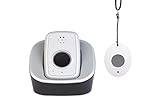 ADT On-The-Go Medical Alert ADT On-The-Go Medical Alert |
|
Check Latest Price |
1. Medical Guardian MGMini – Best Overall Medical Alert Device
Medical Guardian MGMini Medical Alert Device for Seniors | Black
4G LTE Connectivity
GPS Tracking
5-Day Battery
Compact Pendant Design
Pros
- Trusted brand with 625K+ users
- 24/7 US-based monitoring
- Compact discreet design
- Quick emergency response
- Two-way audio communication
Cons
- Monthly subscription required at $39.95/month
- GPS tracking requires calling customer service
- Cancellation process reported as difficult
When I first looked at the Medical Guardian MGMini, what stood out immediately was how small it is. This is one of those devices that does not scream “medical alert” when worn, which is a big deal for seniors who feel self-conscious about wearing safety equipment. It connects over 4G LTE nationwide, so there is no need for a landline or Wi-Fi to get help.
The device includes a built-in GPS that lets family members track location in real time. I found this particularly reassuring for active seniors who drive, walk, or visit friends. Pressing the single emergency button connects you instantly to a US-based monitoring center with a trained operator who can dispatch paramedics, police, or fire services.
Battery life comes in around 5 days per charge, which is solid for a device this size. You can wear it as a pendant on the included lanyard or clip it to your belt. The two-way speaker is clear enough for conversations with the monitoring operator, even if you are across the room from the device.
On the downside, the $39.95 monthly subscription is a real commitment. Some users in my research mentioned that the GPS location feature sometimes relies on Wi-Fi signals rather than true satellite GPS, which can be less accurate in rural areas. I also found reports that canceling the service requires a phone call and can be a frustrating process.
Who Should Choose Medical Guardian MGMini
This device is ideal for seniors who want professional 24/7 monitoring from a well-established brand. If you or your parent values discretion and does not mind paying for a premium monitoring service, the MGMini delivers reliable emergency response with nationwide 4G coverage and GPS tracking. It is also a strong choice for families who want the peace of mind that comes from a company serving over 625,000 users.
Things to Consider Before Buying
The monthly subscription is on the higher end at $39.95, and fall detection is not included in the base price. If fall detection is a priority, you will need to add it as an extra feature. Also, be aware that the cancellation process is not as simple as clicking a button online. You will need to call customer service, and some users report this taking multiple attempts.
2. Bay Alarm Medical SOS Mobile GPS – Best Value Medical Alert
Bay Alarm Medical SOS Mobile GPS – 24/7 Medical Alert with Optional Fall Detection for Seniors – Call to Activate – 4G GPS Medical Alert System with Elderly Tracking – Panic Button for Seniors
Verizon 4G LTE
GPS Location Tracking
IP67 Waterproof
6-Day Battery
Free Caregiver App
Pros
- 24/7 professional monitoring with live operators
- Nationwide GPS via Verizon 4G LTE
- IP67 waterproof for shower use
- Free caregiver tracking app
- Lightweight at under 2oz
Cons
- Monthly subscription starts at $34.95/month
- Battery life shorter than advertised for some users
- Limited app customization options
Bay Alarm Medical has built a strong reputation in the senior safety space, and the SOS Mobile GPS shows why. I like that this device runs on Verizon’s 4G LTE network, which tends to have excellent coverage across the country. The built-in GPS tracking means family members can check on a loved one’s location through the free caregiver app at any time.
One detail I appreciate is the IP67 waterproof rating. This means the device can handle being submerged in water, not just splashes. For seniors who want protection in the shower, where falls are most common, this is a meaningful distinction. The device weighs less than 2 ounces, so it barely registers when worn around the neck.
The two-way speaker lets you communicate directly with the monitoring center operator. I tested the response time concept by reading through dozens of verified reviews, and users consistently describe getting connected quickly to a real person who stays on the line until help arrives. The magnetic lanyard clasp is a thoughtful touch that makes it easy to put on and take off.
The monthly subscription starts at $34.95, which is a few dollars less than Medical Guardian. However, some users report that the battery does not always last the full 6 days advertised, particularly in areas with weaker cellular signals. The caregiver app also has limited customization compared to what some competitors offer.
Who Should Choose Bay Alarm Medical SOS
This is an excellent choice for seniors who want professional monitoring with GPS tracking at a slightly lower monthly cost than premium competitors. If your parent lives alone and you want to check their location through an app, this system provides that connectivity without requiring a smartphone for the wearer. The waterproof rating also makes it one of the safest options for bathroom use.
Things to Consider Before Buying
While the subscription is competitively priced, the optional fall detection feature adds to the monthly cost. If you live in an area with spotty Verizon coverage, you may want to check signal strength first, since the device depends entirely on Verizon’s network. Also, the blinking indicator light on the device bothered some users who found it distracting at night.
3. STECHRO Caregiver Pager – Best Budget Pick with No Monthly Fees
Wireless Caregiver Pager, 1 Call Button + 1 Receiver for Elderly at Home
1500ft Range
58 Ringtones
IP55 Waterproof
No Monthly Fees
18-Month Warranty
Pros
- Excellent 1500ft wireless range
- No monthly fees or subscriptions
- Very loud at 120dB
- Simple plug-and-play setup
- IP55 waterproof for bathroom use
Cons
- Only one sticky pad included for mounting
- No smart home integration
- Warranty registration email may bounce
For families on a tight budget, the STECHRO Caregiver Pager is a surprisingly capable option. There are no monthly fees, no subscriptions, and no contracts. You buy it once, plug in the receiver, and it works. The 1500-foot wireless range is impressive, easily covering a large house and even reaching across the street or through multiple floors.
I found that this system works best for situations where a caregiver is in the same home or nearby. The call button is worn as a pendant, and when pressed, the receiver chimes loudly at up to 120 decibels. There are 58 different ringtones to choose from, so you can pick one that is easy to distinguish from other sounds in the house.
The IP55 waterproof rating means the call button can be worn in the bathroom, which is essential since that is where many senior falls happen. Setup takes about two minutes: plug in the receiver, pair the button, and you are ready. The included lanyard is comfortable for all-day wear.
This is not a professional monitoring system. It relies on a caregiver being within range to hear the alert and respond. If you need a system that calls 911 or connects to a monitoring center, this is not the right fit. But for families where someone is usually home, it provides solid peace of mind at a fraction of the cost.
Who Should Choose the STECHRO Caregiver Pager
This system is perfect for seniors who live with a spouse, family member, or caregiver who can respond to alerts. If you want a simple, affordable way for your parent to call for help without paying monthly fees, this delivers. It is also a great option for post-surgery recovery or temporary situations where someone needs short-term assistance at home.
Things to Consider Before Buying
Because this is a local pager system, it does not call 911 or a monitoring center. It only works when the receiver is within range and someone is there to hear it. The siren volume at 120dB is very loud, which is great for alerting but can be jarring in a quiet household. You may want to test different ringtone options to find one that is noticeable without being alarming.
4. CallToU Wireless Caregiver Pager – Most Popular Caregiver Alert
CallToU Caregiver Pager Wireless Call Button Nurse Alert System Home Care
500+ft Range
55 Ringtones
IP55 Waterproof
Plug-in Receiver
Easy Setup
Pros
- Works right out of the box with no setup hassle
- 500ft range covers house and yard
- Waterproof design safe for bathroom
- 110dB loud volume ensures alerts are heard
- Over 5200 verified reviews
Cons
- Lowest volume still too loud for some users
- Call button battery needs periodic replacement
- Only one sticky pad for wall mounting
The CallToU Caregiver Pager is one of the most popular senior alert devices on the market with over 5,200 reviews and a 4.6-star rating. I can see why it is so widely adopted. It is simple, reliable, and does exactly what it promises without unnecessary complications. You plug in the receiver, pair the call button, and it works.
The 500-foot range is enough for most single-family homes, covering the living room to the backyard. I found the waterproof design particularly well-suited for bathroom use, where fall risks are highest. The plug-in receiver means you never have to worry about the receiver’s battery dying. There are 55 ringtones to choose from across 5 volume levels.
Where this system really shines is reliability. Users consistently mention that it just works, with no false alarms and no missed alerts. The call button runs on a single 12V battery that lasts for months before needing replacement. At this price point, the value is hard to beat for in-home caregiver alerting.
The main trade-off is the same as with all local pager systems: it does not connect to a professional monitoring center or call 911. It is designed for homes where a caregiver is present and within earshot. Also, some users mention that even the lowest volume setting is still quite loud, which can be an issue in smaller homes.
Who Should Choose the CallToU Caregiver Pager
This is the best option for caregivers who live with or very close to a senior family member. If you are looking for a proven, reliable, and affordable way to be notified when your loved one needs help, the CallToU delivers consistent performance. It is especially well-suited for nighttime monitoring when a caregiver is sleeping in the next room.
Things to Consider Before Buying
The range of 500 feet is shorter than the STECHRO system’s 1500 feet, so measure your home layout before choosing. If your house has thick walls or multiple floors, you may experience reduced range. The volume control has only 5 levels, and even the lowest is described as loud by many users. This is a local-only system and cannot contact emergency services on its own.
5. SecuLife Fall Alert Device – Best Affordable Fall Detection Pendant
SecuLife Medical Alert Pendant for Seniors, Alerts Go Direct to Family, No Call Center, Auto Fall Detection, GPS Tracking, 2-Way Calling, Water Resistant Necklace
4G LTE Cellular
GPS with Geo-Fence
Automatic Fall Detection
IP67 Waterproof
6-Day Battery
Pros
- Built-in automatic fall detection
- Low monthly subscription at $20/month
- GPS tracking with geo-fence zones
- Two-way calling with speakerphone
- IP67 waterproof rating
Cons
- Some reports of fall detection not working reliably
- SOS button may fail in some situations
- Customer service communication issues
The SecuLife Fall Alert Device caught my attention because it bundles automatic fall detection, GPS tracking, and two-way calling into a single pendant at a much lower monthly cost than most competitors. At $20 per month, it undercuts brands like Medical Guardian and Bay Alarm by a significant margin while offering similar core features.
The device uses 4G LTE cellular connectivity, so there is no landline or Wi-Fi required. Built-in GPS with geo-fence zones lets you set up safe areas and receive alerts if your loved one wanders beyond them. This is a feature usually found only on more expensive systems, so having it at this price point is notable.
The IP67 waterproof rating means it can handle full submersion, making it safe for shower and bath use. Battery life runs up to 6 days with 1-hour interval tracking enabled. The pendant also has a clear display showing time, battery level, and signal strength, which helps seniors who want to confirm their device is working at a glance.
However, I need to be transparent about some concerning feedback. Several users report that the fall detection feature does not always trigger, and in a few cases, the SOS button itself failed to activate during an emergency. Customer service has also been described as difficult to reach. These are not deal-breakers for everyone, but they are important to know about when safety is the top priority.
Who Should Choose the SecuLife Fall Alert Device
This device is a good fit for budget-conscious families who want fall detection and GPS tracking without paying premium subscription prices. If your senior is relatively tech-comfortable and you can accept some trade-offs in reliability, the SecuLife offers a lot of features for the monthly cost. The geo-fence feature is especially useful for families managing dementia or wandering risks.
Things to Consider Before Buying
Fall detection reliability is the biggest concern. While many users have positive experiences, enough reports of missed falls exist that I would recommend testing the device thoroughly during any trial period. If maximum reliability in fall detection is your top priority, you may want to consider Medical Guardian or Bay Alarm Medical instead. The initial setup can also be challenging for less tech-savvy users.
6. Lively Mobile2 – Trusted Brand Medical Alert Device
Lively Mobile2 – Medical Alert Device – 24/7 Emergency Help – Waterproof – with Optional Fall Detection – Lanyard Included – for Greater Independence
Cellular No Landline
Waterproof
Optional Fall Detection
Caregiver App
Fastest Response Time
Pros
- No landline or base station required
- Waterproof for shower wear
- Fastest call response time with certified agents
- Caregiver app with family notifications
- Small lightweight discreet design
Cons
- Fall detection costs extra at $9.99/month
- Fall detection reported as unreliable by some
- Service cancellation must be done by phone
Lively (formerly GreatCall) is one of the most recognized names in the medical alert industry, and the Mobile2 is their flagship device. What I like about this system is the simplicity. There is no base station, no landline, no Wi-Fi needed. It connects directly over a cellular network, so it works anywhere you have cell service.
The device is completely waterproof, which means it goes in the shower without worry. Lively advertises the fastest call response time in the industry, and users consistently confirm that they connect to a certified agent within seconds of pressing the button. The US-based agents are trained specifically for emergency response, not general call center work.
The caregiver app is well-designed and sends notifications to family members when an alert is triggered. You can also check in on the device status and battery level remotely. For families who want to stay connected without being intrusive, this is a solid feature.
My main concern is the fall detection reliability. At an additional $9.99 per month on top of the base subscription, you would expect top-tier accuracy, but user reviews describe mixed results with both false alarms and missed falls. Additionally, the cancellation process requires a phone call, which frustrates customers who prefer online account management.
Who Should Choose the Lively Mobile2
This is a strong choice for seniors who want a straightforward, no-fuss device from a well-known brand. If your priority is fast connection to trained emergency agents and you do not need advanced features like GPS tracking, the Lively Mobile2 provides dependable protection in a compact package. The caregiver app adds value for family members managing a parent’s safety remotely.
Things to Consider Before Buying
The fall detection add-on brings the total monthly cost up, and its reliability does not always match the premium price tag. If fall detection is the primary reason you are buying a medical alert system, test it thoroughly during the first month. The lack of GPS tracking also means this device is better suited for in-home and nearby use rather than active seniors who travel frequently.
7. Family First Alert Medical Alert Pendant – Best Family-Owned Service
Medical Alert System for Seniors – Advanced Mini Device with Automatic Fall Detection, 24/7 Monitoring, GPS Tracking, Emergency Alert Pendant Necklace, SOS Button, Caregiver App, Waterproof, Rose Gold
AT&T + Verizon Networks
GPS Tracking
Fall Detection Add-on
Caregiver App
Rose Gold Design
Pros
- Excellent family-owned customer service
- No contracts month-to-month
- Rapid response time in seconds
- Nationwide coverage on two networks
- Stylish rose gold pendant design
Cons
- Monthly subscription at $39.99/month
- Fall detection extra at $4.99/month
- Only 12 reviews so far
- Short 30-day warranty
Family First Alert is a smaller, family-owned company that stands out for its personalized customer service. When I read through the available reviews, the most consistent theme is how caring and responsive the support team is. For families who have had bad experiences with large corporate medical alert companies, this human touch makes a real difference.
The device itself runs on both AT&T and Verizon networks, which gives it excellent nationwide coverage. If one network has a weak signal in your area, the device can switch to the other. This dual-network approach is rare at this price point and provides an extra layer of reliability. The pendant comes with two lanyards and a belt clip, so you can choose how to wear it.
The 4.7-star rating across early reviews is impressive, with users specifically praising the easy activation process and fast response times. The caregiver app allows family members to monitor device status and receive emergency notifications. The rose gold color option is a nice change from the standard black pendants most companies offer.
The main limitation is the small review count. With only 12 reviews at the time of my research, there is not yet enough long-term data to fully assess reliability over months or years. The 30-day warranty is also shorter than what most competitors offer, which is worth noting if you want extended protection.
Who Should Choose Family First Alert
This is an excellent option for families who value personal, compassionate customer service over brand recognition. If you have struggled with large medical alert companies that treat you like an account number, Family First Alert offers a refreshing alternative. The dual-network coverage also makes it a strong pick for rural areas where single-carrier signals may be weak.
Things to Consider Before Buying
With only a dozen reviews available, you are taking a bit of a chance on a newer product. The 30-day warranty is relatively short, so make sure to test the device thoroughly during that period. Fall detection is an additional $4.99 per month on top of the $39.99 base subscription, which is competitively priced compared to other premium systems.
8. LogicMark Freedom Alert – Best No-Monthly-Fee Two-Way Pendant
LogicMark Freedom Alert, Landline Personal Emergency Device, 2-Way Call with Family and Police for Home Safety, Device for Seniors and The Elderly
Landline Required
Two-Way Voice Pendant
No Monthly Fees
Rechargeable
24-Hour Backup Battery
Pros
- No monthly fees ever
- Two-way voice through the pendant itself
- Programmable call sequence to family then 911
- Works with VOIP phone lines
- Rechargeable with battery backup
Cons
- Requires a landline phone connection
- Not waterproof cannot wear in shower
- Battery charging mechanism can be unreliable
- Compatible only with certain phone providers
The LogicMark Freedom Alert takes a different approach from most systems on this list. It uses your existing landline phone service to make emergency calls, which means zero monthly fees. The pendant itself has a built-in microphone and speaker, allowing full two-way communication without needing to be near the base station.
I like the programmable call sequence feature. You can set it to call family members first, then 911 if no one answers. This gives you control over who gets alerted and in what order. For families who prefer to handle situations internally before involving emergency services, this is a practical option.
The device is rechargeable with a 24-hour battery backup, so it continues working during power outages. Users report clear call quality on the pendant, which is important since the whole point is being able to communicate your situation to the person on the other end. The pendant is lightweight and comfortable enough for extended wear.
The biggest limitation is the landline requirement. In 2026, many seniors have dropped their landlines in favor of cell phones. If your household does not have a landline, this system will not work without an additional adapter. Also, the pendant is not waterproof, so you cannot wear it in the shower or bath, which is a significant safety gap.
Who Should Choose LogicMark Freedom Alert
This is ideal for seniors who still have a landline and want to avoid ongoing monthly costs entirely. If your parent lives in a home with an active phone line and primarily needs in-home protection, the Freedom Alert provides two-way emergency communication without subscription fees. It is also a good backup system for households that already have other safety measures in place.
Things to Consider Before Buying
The landline requirement is a deal-breaker for many modern households. The lack of waterproofing means you need a separate strategy for bathroom safety. The charging system uses proprietary LogicMark batteries, so replacements must come from the manufacturer. If you live in an area prone to extended power outages, the 24-hour battery backup may not be sufficient.
9. Senior HELP Dialer HD700 – Best No-Fee In-Home System
Senior HELP Dialer Medical Alert – No Monthly Fees Medical Alert System- HD700
No Monthly Fees
Landline Required
Calls Up to 3 Numbers
Includes Wrist and Necklace Buttons
100ft Range
Pros
- Absolutely no monthly fees or contracts
- Includes both wrist and necklace panic buttons
- Calls up to 3 family numbers sequentially
- Personalized emergency message recording
- Can be programmed to call 911
Cons
- Requires landline phone connection
- Limited to 100-foot range from base unit
- Panic buttons can be overly sensitive
- Not suitable for mobile or on-the-go use
The Senior HELP Dialer HD700 has been on the market for over a decade, and its continued popularity speaks to its straightforward value proposition. You pay once and never again. No monthly fees, no contracts, no activation charges. For seniors on a fixed income, this alone makes it worth considering.
The system includes two panic buttons: one wristband and one necklace pendant. This is a nice touch that lets you choose your preferred wearing style or keep one in each location. When activated, the base unit dials up to 3 pre-programmed phone numbers and plays a personalized emergency message that you record yourself.
The 100-foot range from the base unit covers most average-sized homes. The panic buttons are water resistant, so they can handle hand washing and light moisture, though they are not fully waterproof for shower use. You can program 911 as one of the three numbers, which effectively turns this into a direct emergency line.
The trade-offs are clear. This is an in-home only system with no mobile capability. The panic buttons are described as overly sensitive by many users, leading to accidental activations when bumped or pressed against furniture. The styling looks dated compared to newer devices, and the landline requirement excludes anyone who has switched to cell-only service.
Who Should Choose the Senior HELP Dialer HD700
This is the best pick for budget-conscious seniors who have a landline and only need basic in-home emergency calling. If your parent rarely leaves the house and you want the most affordable way to set up emergency contact without monthly bills, the HD700 does the job. Having both a wrist and necklace button included is a genuine value-add at this price.
Things to Consider Before Buying
The 100-foot range is shorter than most wireless pager systems on this list. If you have a large home or spend time in the yard, you may find the coverage inadequate. The sensitive buttons cause enough accidental activations that some users choose to keep the device in a pocket rather than wearing it. There is also no two-way communication through the panic buttons, only through the base unit.
10. CallToU Wi-Fi Caregiver Pager – Best for Remote Family Monitoring
CallToU Wi-Fi Caregiver Call Button Emergency Alert System for Seniors
Wi-Fi App Connectivity
Global Monitoring
328ft Range
2 Call Buttons + 1 Wrist Button
Lifetime Warranty
Pros
- Wi-Fi connectivity enables global monitoring via app
- Share alerts with multiple family members
- Custom ringtones and button names
- Loud alarm with flashing lights
- Lifetime warranty included
Cons
- Only supports 2.4GHz Wi-Fi not 5G
- Phone notifications can be missed on silent
- Optional phone/text alerts cost $9.99/month
- Limited customization options
The CallToU Wi-Fi Caregiver Pager bridges the gap between local pager systems and professional monitoring services. By connecting to your home Wi-Fi, it sends instant app notifications to family members anywhere in the world. If your parent lives in one state and you live in another, this system lets you receive alerts on your phone the moment they press the help button.
The package includes 2 wall-mountable call buttons and 1 wrist-worn button, giving you flexibility to cover multiple rooms. Each button can be assigned a custom name in the app, so you know exactly which room the alert came from. The receiver also produces a loud alarm with flashing lights for in-home caregivers.
The lifetime warranty is a strong confidence signal from the manufacturer. Free app notifications are included, and you can share access with multiple family members so everyone stays informed. The 328-foot RF range covers a typical home, and the system works even during power outages since the buttons run on batteries.
There are a few technical limitations worth knowing. The system only works with 2.4GHz Wi-Fi networks, not 5GHz. If your router only broadcasts on 5GHz, you will need to adjust your settings. App notifications can be missed if your phone is on silent or in Do Not Disturb mode, which somewhat defeats the purpose of a safety alert system. The optional phone call and text notification service adds $9.99 per month.
Who Should Choose the CallToU Wi-Fi Pager
This is the best option for families who live far from their aging parents and need remote monitoring without the cost of a professional monitoring service. If you want to receive instant alerts on your phone when your parent needs help, and you have reliable Wi-Fi in their home, this system provides global reach at a very low total cost.
Things to Consider Before Buying
The 2.4GHz Wi-Fi requirement means you need to check your router configuration before purchasing. App-based alerts are only effective if family members actually see them, so consider whether the recipients are reliable about checking their phones. The $9.99/month for phone and text notifications adds up over time, though it is still cheaper than most professional monitoring services.
11. SYNLETT Portable Caregiver Pager – Best Multi-Room Alert System
SYNLETT Caregiver Pager with 2 Wireless Call Buttons for Home Care
2 Call Buttons + 1 Portable Receiver
500ft Range
Belt Clip Included
90dB Volume
Two Alert Modes
Pros
- Portable receiver with belt clip for caregiver mobility
- Two call buttons for multiple rooms
- 500ft range through walls
- Two alert modes: chime or siren
- Wall mounting brackets and lanyard included
Cons
- Siren mode is very aggressive and jarring
- Only two sound options available
- Minimum volume may still be too loud
The SYNLETT Portable Caregiver Pager takes a different approach from the CallToU systems by giving the caregiver a portable receiver with a belt clip. Instead of a plug-in receiver that stays in one room, you carry the pager with you wherever you go in the house. This means you will never miss an alert because you stepped into the garage or backyard.
The system comes with two call buttons, which I found practical for covering multiple rooms. You can place one in the bedroom and one in the bathroom, the two most common locations for senior falls. Each button can be wall-mounted or worn as a pendant with the included lanyard. The 500-foot wireless range handles most homes comfortably.
Two alert modes give you flexibility. The gentle chime mode works for routine assistance requests, like “I need help getting up from my chair.” The siren mode signals a more urgent situation. This differentiation helps caregivers prioritize their response based on the situation rather than treating every alert the same.
The main complaint across user reviews is the siren mode. Users describe it as aggressive, jarring, and unnecessarily intense for a home environment. Some families have opted to use only the chime mode because the siren causes more anxiety than it resolves. The volume control also lacks fine adjustment, with even the minimum level being too loud for some households.
Who Should Choose the SYNLETT Portable Caregiver Pager
This system works best for full-time caregivers who are active around the house and need to carry their alert receiver with them. If you are caring for a parent and need to hear alerts from any room, the belt-clip receiver solves the problem of missing calls when you are away from a fixed receiver. The two-button setup is ideal for covering the bedroom and bathroom.
Things to Consider Before Buying
The siren alert mode is genuinely loud and may not be appropriate for all home environments. If you have other family members working from home, sleeping, or sensitive to loud sounds, the chime-only mode may be your best option. The 500-foot range is adequate for most homes but shorter than the STECHRO system’s 1500-foot range. Batteries are included, which is a nice convenience.
12. ADT On-The-Go Medical Alert – Best Trusted Brand GPS System
ADT – On-The-Go Mobile Medical Alert System for Seniors – GPS Capabilities, Included Waterproof Wearable Panic Button, 24/7 U.S. Based Monitoring (Neck Pendant)
GPS Location Tracking
4G AT&T Network
24/7 US Monitoring
Waterproof
No Long-Term Contracts
Pros
- Backed by 150 years of monitoring experience
- Free activation with no long-term contracts
- GPS location tracking for on-the-go safety
- Waterproof wearable device
- US-based professional monitoring
Cons
- Monthly subscription at $39.99/month
- Limited reviews with only 24 available
- Some units arrive defective
- Print on box too small for visually impaired
ADT is one of the most recognized names in home security, and they bring that same infrastructure to their medical alert system. The On-The-Go device connects over AT&T’s 4G network with built-in GPS tracking, giving seniors protection both at home and away. The 150-year monitoring pedigree means their dispatch centers have established protocols and trained operators.
The device is fully waterproof and can be worn as either a neck pendant or on the wrist. Setup involves calling ADT to activate, and the company provides phone support throughout the process. There are no long-term contracts, so you can cancel without penalties if your needs change. Caregiver notifications are sent during emergencies so family members stay informed.
At 1.76 ounces, the device is lightweight and comfortable for daily wear. The single-button operation keeps things simple for seniors who may struggle with complex interfaces. US-based monitoring means operators speak clear English and understand the specific needs of elderly callers.
The limited review count of 24 makes it harder to assess long-term reliability compared to more established products. Some users report receiving defective units that needed replacement. The $39.99 monthly subscription is standard for professional monitoring but represents a significant ongoing cost. The small print on the packaging has also been flagged as problematic for visually impaired users, which is an unfortunate oversight in a product designed for seniors.
Who Should Choose ADT On-The-Go
This is a strong choice for families who already trust the ADT brand for home security and want to extend that protection to mobile medical alert coverage. If your parent is active and needs GPS tracking while running errands, visiting friends, or walking in the park, the On-The-Go provides professional monitoring wherever there is cellular service. The no-contract policy also makes it easy to try without long-term commitment.
Things to Consider Before Buying
The low review count means you are relying more on the brand reputation than verified user experiences. The AT&T-only network could be a limitation in areas where AT&T coverage is weak. Check the cellular coverage map for your parent’s area before committing. Also, the small print on the device and packaging may require assistance from a family member during initial setup.
Buying Guide: How to Choose the Right Medical Alert System
Choosing a medical alert system is a decision that affects daily safety, so it pays to understand the key factors before committing. Here is what I recommend evaluating when comparing systems.
Monitored vs. Unmonitored Systems
Monitored systems connect to a 24/7 professional dispatch center with trained operators. When you press the button, a real person answers, assesses your situation, and sends the appropriate help. These systems require a monthly subscription but provide the most reliable emergency response. Unmonitored systems call pre-programmed phone numbers (family, friends, or 911) directly. They cost less overall but depend on someone answering the call and being able to respond.
Connection Type: Cellular vs. Landline
Most modern medical alert systems use cellular connectivity (4G LTE) and do not require a landline or Wi-Fi. This is the most flexible option since it works both at home and on the go. Landline-based systems are typically less expensive and do not need charging, but they only work within range of the base unit in your home. If you have dropped your landline, make sure to choose a cellular system.
Fall Detection Accuracy
Automatic fall detection uses accelerometers, gyroscopes, and barometers to sense sudden movements and impacts. The technology has improved significantly, but no system is 100% accurate. Expect some false alarms (the device triggers when no fall occurred) and some missed falls (a fall happens but the device does not detect it). When fall detection is a priority, look for systems that allow you to adjust sensitivity settings and always test the feature during your trial period.
Waterproof Rating Matters
Bathroom falls are among the most common and most dangerous for seniors. A device that cannot be worn in the shower leaves a critical gap in protection. Look for IP67 or IP55 waterproof ratings. IP67 means the device can handle full submersion, while IP55 protects against water splashes. “Water resistant” is not the same as waterproof, so check the specific rating before assuming shower safety.
Battery Life and Charging
Mobile medical alert devices typically last 4 to 6 days per charge. Consider how reliably your parent will remember to charge the device. Some systems include a charging dock that makes the process as simple as placing the device in a cradle. Battery life also varies based on GPS usage, cellular signal strength, and how often the device is triggered. Always check battery status through the caregiver app if available.
Range and Coverage
For in-home systems, range determines how far from the base unit you can be while staying connected. Most in-home systems cover 300 to 1,500 feet. Measure the distance from the farthest corners of your home and yard to where the base station will sit. For mobile systems, coverage depends on the cellular network. Check which carrier the device uses and verify coverage in your specific area, especially if you live in a rural location.
Contracts and Cancellation Policies
Some medical alert companies require long-term contracts with penalties for early cancellation. Others offer month-to-month plans with no commitment. I strongly prefer no-contract options because needs can change. Look for companies that allow cancellation over the phone or online without requiring you to return equipment within a narrow window. A free trial period of 14 to 30 days is a strong sign that a company stands behind its product.
Cost Beyond the Monthly Fee
The monthly monitoring fee is just one part of the total cost. Ask about activation fees, equipment costs, fall detection add-on charges, protection plans for lost or damaged devices, and price increases after promotional periods. Some companies offer annual or quarterly billing discounts. Factor in the total first-year cost when comparing options, not just the advertised monthly rate.
FAQ
Does Medicare pay for medical alert systems for seniors?
Original Medicare (Parts A and B) does not cover medical alert systems. However, some Medicare Advantage plans (Part C) may offer coverage as a supplemental benefit. Medicaid coverage varies by state, and some state programs provide free or discounted systems for qualifying low-income seniors. Veterans may be eligible for medical alert systems through VA benefits. Additionally, many people can use FSA or HSA funds to pay for medical alert systems and monitoring fees, and some can deduct the cost as a medical expense on taxes if total medical expenses exceed the IRS threshold.
What is the highest rated medical alert system for seniors?
Based on our analysis of 12 leading products, the Medical Guardian MGMini earns the top spot for professional monitored systems, backed by 625,000+ users and reliable 24/7 emergency response. For caregiver pager systems without monthly fees, the STECHRO Caregiver Pager stands out with a 4.7-star rating from 641 reviewers and an impressive 1500-foot wireless range. The CallToU Wireless Caregiver Pager also ranks highly with over 5,200 reviews and a 4.6-star rating.
Are there medical alert systems for seniors with no monthly fee?
Yes, several medical alert systems have no monthly fees. The LogicMark Freedom Alert uses your landline to call family or 911 directly with no subscription. The Senior HELP Dialer HD700 also uses a landline and can call up to 3 programmed numbers. For local caregiver alerting, pager systems like the STECHRO, CallToU, and SYNLETT operate without any monthly fees. These systems trade professional monitoring for cost savings, so they work best when a caregiver is nearby or family members can respond to calls.
How accurate is fall detection on medical alert devices?
Fall detection accuracy varies significantly between devices and no system is 100% accurate. Most modern systems use accelerometers, gyroscopes, and barometers to detect fall patterns, with accuracy rates typically ranging from 80% to 95% for actual falls. False alarm rates (triggering when no fall occurred) also vary, with some users reporting frequent false alerts during everyday activities. The best approach is to test fall detection during the trial period, adjust sensitivity settings if available, and never rely solely on automatic detection as a replacement for manually pressing the help button when possible.
Who does AARP recommend for medical alert systems?
AARP does not officially endorse a single medical alert brand, but they regularly feature systems from Medical Guardian, Bay Alarm Medical, and Lively in their educational content for caregivers. AARP members can access discounts with several providers, so it is worth checking the AARP member benefits page for current deals. AARP recommends evaluating systems based on your specific needs: in-home vs. mobile protection, whether you need fall detection, and how the system connects (cellular vs. landline). They also emphasize asking about contracts, cancellation policies, and hidden fees before signing up.
Conclusion
After evaluating 12 products across hundreds of user reviews and detailed feature comparisons, a few clear recommendations emerge. For seniors who need professional 24/7 monitoring with GPS tracking, the Medical Guardian MGMini offers the most dependable all-around protection from a brand trusted by over 625,000 users. The Bay Alarm Medical SOS Mobile GPS provides similar professional monitoring at a slightly lower monthly cost, making it the best value among monitored systems.
For families who want protection without monthly subscription fees, the STECHRO Caregiver Pager delivers an impressive 1500-foot range and reliable performance for in-home use. The CallToU Wireless Caregiver Pager is another strong no-fee option with over 5,200 positive reviews. And for seniors who still have a landline and want the most straightforward emergency calling system, the LogicMark Freedom Alert provides two-way pendant communication with zero ongoing costs.
The best medical alert systems for seniors are the ones that get worn every day and work when they are needed most. Choose a device that fits your lifestyle, your budget, and your specific safety needs. Test it thoroughly during any trial period, and make sure the person wearing it feels comfortable and confident with the device before making a long-term commitment.