
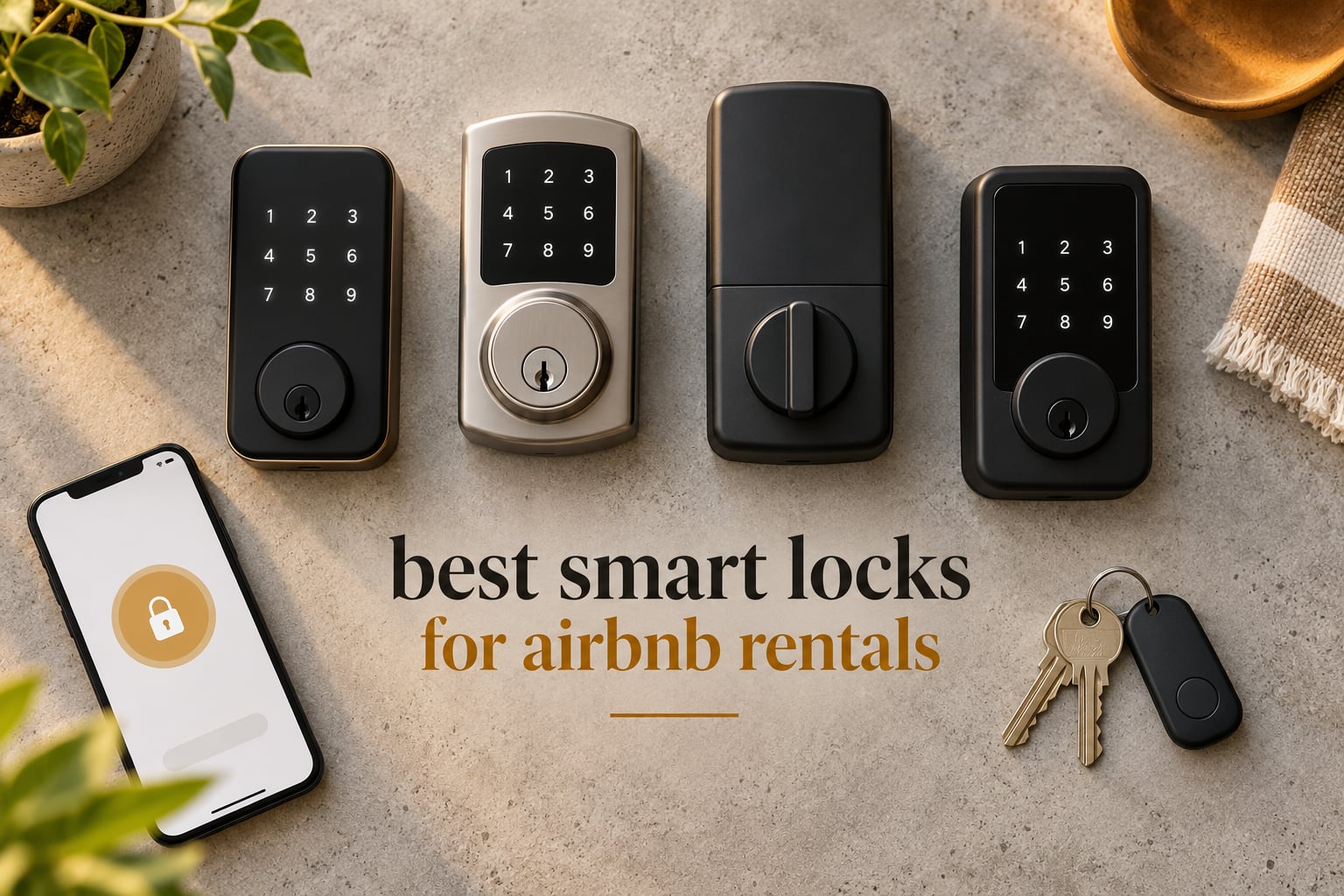
The best smart lock for an Airbnb rental is the Schlage Encode Smart WiFi Deadbolt, because it has built-in Wi-Fi with no hub to install, a top-tier residential security and durability certification, and room for up to 100 access codes you can schedule and delete per guest. It removes the key handoff, survives a vacancy without a charger cable, and keeps an activity log you can check when something goes wrong.
We updated this guide in 2026 and went through all ten locks below against the same checklist: does it lock and unlock remotely, does the keypad work with no app and no Wi-Fi, is there a physical key for backup, and does the battery warning actually reach a host who is not standing at the door.
That checklist exists because host forums keep circling the same frustration. In r/airbnb_hosts, the top thread on this topic opens with a host noting that every roundup online looks like affiliate copy and none of the locks seem to have trustworthy reviews. The complaints in the replies are almost never about missing features. They are about dead keypads in freezing weather, locks that drop off Wi-Fi, and batteries dying in a vacant unit three states away.
So we treated every product below as a reliability decision first and a feature list second. Each review names at least one real drawback, because a roundup without drawbacks is the thing this audience has learned to distrust.
If you also want hardware that works on a private home rather than a rental, our guide to the best smart locks for front doors covers the same locks from a resident’s angle.
Table of Contents
- Top 3 Smart Locks for Airbnb Rentals in 2026
- Best Smart Locks for Airbnb Rentals at a Glance
- 1. Schlage Encode Smart WiFi Deadbolt – Best Overall for Hosts Who Need Remote Access
- 2. ULTRALOQ Bolt SE Wi-Fi – Best for Matter Homes and Apple Households
- 3. TEEHO TE002 Fingerprint Deadbolt – Top Rated for Offline Doors
- 4. Sifely Fingerprint Smart Door Lock – Best When the Door Has a Lever Handle
- 5. eufy Security Smart Lock C220 – Best for eufy Camera Owners
- 6. ULTRALOQ U-Bolt WiFi – Best for Knowing Whether the Door Is Actually Closed
- 7. Philips WiFi Keypad Deadbolt with Handle – Best Complete Handle Set
- 8. Tapo Smart Wi-Fi Door Lock DL110 – Best for Grade 2 Hardware and a Rechargeable Battery
- 9. Kwikset 917HFL-514S Smartcode Keypad – Best for a Door That Will Never Have Wi-Fi
- 10. DESLOC B200 Fingerprint Smart Door Lock – Best Budget Fingerprint With a Gateway Path
- How to Measure Your Door Before You Order a Lock
- Wi-Fi, Connectivity, and Offline Operation
- What Airbnb Native Code Sync Actually Does
- Battery Life and the Vacant Property Risk
- One Listing or a Portfolio: Where the Per-Lock App Stops Being Enough
- Frequently Asked Questions
- What smart lock does Airbnb recommend?
- What is the best lock to use for Airbnb?
- What is the best smart lock for short-term rentals?
- Do I need Wi-Fi for an Airbnb smart lock?
- What happens if the Wi-Fi goes down on a smart lock?
- How often do smart locks need battery replacement?
- Are smart locks more secure than traditional locks?
- Which smart lock is best if I manage multiple Airbnbs?
- Is it better to use a smart lock or a lockbox for Airbnb?
- What is the 80/20 rule in Airbnb?
- Which Smart Lock Should You Actually Install?
Top 3 Smart Locks for Airbnb Rentals in 2026

Schlage Encode Smart WiFi Deadbolt
- Built-in Wi-Fi
- no hub
- Up to 100 access codes
- BHMA top residential rating
- Physical backup key

ULTRALOQ Bolt SE Wi-Fi
- Matter over Thread
- Built-in Wi-Fi
- Up to 18 months battery
- IP65 and Grade 1

TEEHO TE002 Fingerprint Deadbolt
- 1-second fingerprint
- 20 codes
- IP54 weather sealing
- 365 day battery claim
The Schlage takes the top slot on evidence volume alone. Thirteen thousand reviews is roughly ten times what most competitors in this category accumulate, and the review base consistently describes installation on a standard US door as a screwdriver job with no hardwiring.
The ULTRALOQ Bolt SE is the pick if your rental also has to join a Matter or Apple Home setup, and the TEEHO TE002 is the one to buy when the door has no Wi-Fi story at all and you are simply trying to stop rekeying between guests.
Best Smart Locks for Airbnb Rentals at a Glance
This is the spec view. Built-in Wi-Fi is the single most important column here, because a lock that needs a hub is a lock that will eventually sit offline on a rental door when nobody is there to fix it.
| Product | Specifications | Action |
|---|---|---|
| Schlage Encode Smart WiFi Deadbolt |
|
Check Latest Price |
| ULTRALOQ Bolt SE Wi-Fi Smart Lock |
|
Check Latest Price |
| TEEHO TE002 Fingerprint Deadbolt |
|
Check Latest Price |
 Sifely Fingerprint Smart Door Lock with Handle Sifely Fingerprint Smart Door Lock with Handle |
|
Check Latest Price |
 eufy Security Smart Lock C220 eufy Security Smart Lock C220 |
|
Check Latest Price |
 ULTRALOQ U-Bolt WiFi Smart Lock ULTRALOQ U-Bolt WiFi Smart Lock |
|
Check Latest Price |
 Philips WiFi Keypad Deadbolt with Handle Philips WiFi Keypad Deadbolt with Handle |
|
Check Latest Price |
 Tapo Smart Wi-Fi Door Lock DL110 Tapo Smart Wi-Fi Door Lock DL110 |
|
Check Latest Price |
 Kwikset 917HFL-514S Smartcode Keypad Kwikset 917HFL-514S Smartcode Keypad |
|
Check Latest Price |
 DESLOC B200 Fingerprint Smart Door Lock DESLOC B200 Fingerprint Smart Door Lock |
|
Check Latest Price |
Reading across the rows, the pattern is clear. Four locks have Wi-Fi in the box. Three need a gateway, a bridge, or a hub you buy separately. Three have no network connection whatsoever and are relying entirely on the keypad.
Only the Schlage, the ULTRALOQ Bolt SE, the eufy C220, the Philips, and the Tapo give you remote lock and unlock with nothing else to install. That is the shortlist for a host who wants to let a guest in from a phone at 11pm without driving to the property.
1. Schlage Encode Smart WiFi Deadbolt – Best Overall for Hosts Who Need Remote Access
Schlage Encode Smart WiFi Deadbolt Lock with Century Trim, Matte Black
Built-in Wi-Fi, no hub
Up to 100 access codes
BHMA certified highest residential
4 AA batteries, about 6 months
Fits doors 1-3/8 to 1-3/4 inch
Pros
- Remote lock and unlock with no hub to install
- Largest code capacity at 100
- Physical backup key included
- Screwdriver-only install on standard US doors
- Low battery alert on both lock and app
Cons
- Highest cost in this roundup
- Four AA batteries rather than a rechargeable pack
- Touchscreen responsiveness drops in extreme cold
- Some owners report intermittent connectivity
We kept coming back to this lock because the failure modes that ruin rental hardware are the ones it avoids. There is no hub to lose power, no bridge to re-pair after a router swap, and no separate app to update on the eve of a check-in.
The 100-code ceiling matters more than the number suggests.
The fit specification is narrow and honest. It handles doors from 1-3/8 to 1-3/4 inches thick with a 2-3/8 or 2-3/4 inch backset, which covers most American front doors and excludes most European hardware. Measure before you order, because a mismatch here means a return trip to a property you may not own.
The auto-lock timer is the feature that quietly prevents a category of guest complaints. Set it to relock 15 seconds after the door shuts and a guest who walks out with the door ajar never has to think about it again.
Reviewers also point out that the lock comes with four AA batteries already in the box, so you can install and hand over access on the same day. Battery life is listed at up to six months with typical use, and a rental door taking forty entries a week will eat into that faster than a private home would.
What the Schlage Encode does better than the alternatives
Two things. First, the code capacity: 100 simultaneous codes leaves room for a co-host, a property manager, four cleaners, and a stream of guests without recycling numbers.
Second, the review volume. With over thirteen thousand reviews, this is the only lock here where we can point to a long public record of how it behaves after a few years of turnover, rather than a few hundred early adopters.
When to skip the Schlage Encode
Skip it if your door is a mortise or euro cylinder, or if the property has no reliable 2.4GHz signal at the front door. Also skip it if you need a lever handle on the outside, because this is a deadbolt and the interior side is a thumbturn, not a grip.
It also carries the highest cost in this roundup, which is hard to justify on a single unit where you visit weekly. The money makes more sense once you are not driving to the door at all.
2. ULTRALOQ Bolt SE Wi-Fi – Best for Matter Homes and Apple Households
ULTRALOQ Bolt SE Wi-Fi Smart Lock, Matter Over Thread, App Remote Access
Matter over Thread, built-in Wi-Fi
50 fingerprints and 50 codes
IP65 waterproof, Grade 1
Up to 18 months battery
2.4GHz only, 70 ft from router
Pros
- Seven unlock methods including a 50-print fingerprint reader
- Thread radio adds long battery life and a self-healing mesh
- Grade 1 certification with an IP65 weather rating
- Lifetime mechanical warranty
- Keys and install kit included in the box
Cons
- 2.4GHz Wi-Fi only
- Needs a Matter over Thread hub for the full Matter feature set
- Router should be within 70 feet for reliable signal
- Door sensor is not included
This is the lock to buy if you are already deep in a smart home setup and do not want your rental door to be the one device that cannot talk to anything. Matter over Thread support is the headline, and the Thread radio is the quiet reason the battery claim is as high as 18 months.
Seven entry methods sounds like feature padding until you count the actual guest profiles: fingerprint for the co-host who visits weekly, a PIN for the guest, a shared eKey for the cleaner, and a mechanical key for the day the battery dies.
Two constraints deserve real attention before you commit. The Wi-Fi radio is 2.4GHz only, so a router broadcasting both bands is fine but a 5GHz-only network is not. And the manufacturer recommends keeping the router within about 70 feet of the door, which is a real problem for a rural rental, a carriage house, or a unit at the end of a long driveway.
Since the door sensor is not included, you lose the open-and-closed state reporting that a rental host really wants. Knowing a guest left the door ajar is worth more than another unlock method.
The gasket-friendly IP65 rating is a genuine upgrade for a full-sun or coastal-facing door, where water resistance is the difference between a lock that lasts one season and one that lasts five.
Where the ULTRALOQ Bolt SE earns its slot
Grade 1 certification plus an IP65 weather rating on a lock that also carries a fingerprint reader is a combination you will not find at the budget end. If your door faces weather, that pairing is the reason to pick this over the other Wi-Fi deadbolts here.
The lifetime mechanical warranty also means the bolt and the mechanism, the parts that actually wear, are covered for the life of the lock rather than a fixed term.
Where it frustrates hosts
The Matter story needs a Thread hub, which is a second device to mount, power, and maintain inside a rental you do not live in. If you do not already run Matter at the property, you are buying a lock that advertises a protocol you will not use.
Owner reviews also flag that the fingerprint reader occasionally needs a second scan, which is exactly the moment a guest with wet hands or a phone in one hand is standing at your door at midnight.
3. TEEHO TE002 Fingerprint Deadbolt – Top Rated for Offline Doors
TEEHO TE002 Fingerprint Deadbolt with Keypad for Front Door, Matte Black
No Wi-Fi or Bluetooth
20 codes and 20 fingerprints
IP54 weather resistance
Grade 3 certified
4 AA batteries, not included
Pros
- Lowest entry cost in the roundup
- Self-learning fingerprint claims under one second recognition
- Anti-peep passcodes add privacy at the keypad
- One-touch locking from outside
- Two physical keys in the box
Cons
- No remote access whatsoever
- Only 20 codes and 20 fingerprints
- Batteries are not included
- Some owners report the auto-lock timer resetting to minimum
- Only fits 2-1/8 inch bores
The TEEHO is the lowest-cost way here to stop copying keys, and it asks for nothing else. If you are physically near the property every few days, it does the one job that matters without any network to maintain.
Twenty passcodes and twenty fingerprints is genuinely enough for a single unit. It is not enough for a portfolio, and it is not enough for a co-host who needs their own long-lived credential alongside a stream of guests.
The physical fit is the detail that trips people up. This lock fits standard US doors with 2-1/8 inch bores only, so it will drop into an existing deadbolt hole but will not suit a wider bore or a mortise door.
Two features are quietly useful in a rental context. Anti-peep passcodes add random digits before and after the real code, so a guest cannot read a valid PIN over a shoulder. And away mode disables temporary access entirely, which is the cleanest way to freeze a door between bookings.
The battery claim is listed at up to 365 days on four AA cells, though batteries are not included and a high-traffic door will pull that down considerably. A red indicator lights below fifteen percent.
Why the TEEHO still makes the list
Reliability is the whole product. There is no radio to fail, no pairing to lose, and no firmware update to brick a lock on a guest’s arrival night. For a cabin, a detached unit, or a door that hosts a key safe already, that simplicity is the feature.
It also holds a Grade 3 certification and an IP54 weather rating, which is more certification than most locks in this price range can show on paper.
Who should pass on it
Anyone who needs to unlock a door remotely, or push a code to a guest automatically at booking. Without connectivity there is no audit log to check later and no way to revoke a code while you are away.
Be cautious with the auto-lock delay. Multiple owners report the configured timer reverting to its minimum setting after a battery change, which in practice means a very short delay that guests will not experience as a lock.
4. Sifely Fingerprint Smart Door Lock – Best When the Door Has a Lever Handle
Fingerprint Smart Door Lock with Handle & Keypad – No More Lost Keys, Keyless Entry & Remote Access for Home, Kids, Airbnb & Rental Property, DIY Install, Alexa & Google Compatible
Bluetooth with optional Wi-Fi gateway
5 unlock methods including fob
Reversible handle, both handings
4 AA batteries
Not weatherproof for exposed doors
Pros
- Comes as a full lever and lock set so you replace one piece not two
- Five entry methods including two key fobs and a physical key
- Reversible handle works on left and right doors
- Remote access logs support property management
- Anti-peeping password protection
Cons
- Remote access requires a separate Wi-Fi gateway
- Not weatherproof on an uncovered exterior door
- Some owners report touchscreen and fingerprint reliability issues
- Internal handle design disables electronic unlock when moved up
- Poor speaker quality
Almost every lock in this roundup is a bare deadbolt, which means it expects you to keep your existing interior lever. The Sifely is the exception: it is a full handle-and-lock set, so a rental where the front door hardware is dated or mismatched gets a complete refresh in one install.
Five unlock methods is generous for a rental context. Fingerprint and keypad serve guests, the Bluetooth app serves you when you are nearby, the key fobs can go to a cleaning crew, and the physical key is the emergency path.
The catch is connectivity. Bluetooth handles local use and the app, but remote access from anywhere needs the optional Sifely WiFi Gateway, which is a separate purchase and a separate device to get onto the network at the property.
Hosts should also weigh weather carefully. This lock is described as weather resistant rather than waterproof and is not suited to an uncovered exterior door in a climate that gets serious winter or driving rain.
The reversible handle is a genuine install-time saver, because it means the same unit fits a left-hand or right-hand door without swapping parts, which matters when you are buying for more than one unit.
What the Sifely gets right
Remote access logs are the standout for a host. When a guest says they were locked out at 2am, or a cleaner disputes a visit, the app’s access record is the answer, and this lock produces one.
It is also one of the few here that is marketed explicitly for Airbnb and rental use with guest codes generated from the app or web rather than a buried menu.
What to watch out for
Owners report a design quirk in the internal handle: moving it upward disables electronic unlock from inside, which is a fire-safety behavior some will welcome and others will find surprising at 3am.
Fingerprint recognition and touchscreen responsiveness both draw complaints from a minority of users. If your guests are older or your weather is cold, lean on the keypad and the physical key rather than the biometrics.
5. eufy Security Smart Lock C220 – Best for eufy Camera Owners
eufy Security Smart Lock C220, Fingerprint Keyless Entry Door Lock
Built-in Wi-Fi, no bridge
6 unlock methods
8 AA batteries, about 8 months
BHMA Grade 3, IP53
Operating range -22F to 158F
Pros
- Built-in Wi-Fi with no bridge to install
- Works with Apple Watch as well as app and keypad
- Self-learning fingerprint improves with each use
- Eight AA batteries and eight cells included in the box
- Wide operating temperature range for cold climates
Cons
- Ecosystem is largely limited to eufy devices
- No Matter or Thread support
- Eight AA batteries is more to manage than the usual four
- App connection can be slow
- Only BHMA Grade 3 certified
If your rental already has eufy cameras and doorbells, this lock is a low-friction way to make the front door part of the same system. The ecosystem integration is the reason to buy it, and the reason not to if you do not already run eufy hardware.
Six unlock methods, including Apple Watch, is a nice touch for a co-host who never touches a phone app but wears a watch. The self-learning fingerprint is described as getting more precise with each use, which suits a small set of repeat visitors.
No customer images were available for this lock at the time of writing, which is worth knowing if you are relying on user photos to judge the finish and the keypad.
Why the C220 fits an eufy setup
With eufy cameras already installed, the lock activity can feed into the same app you already watch for motion, rather than a fourth login on a property you do not live at.
Because this is a deadbolt rather than a full set, it leaves your existing interior lever untouched, so the install is one door and one tool. Physical keys are included in the box.
The seal between the exterior assembly and the door is rated IP53, and the listed operating range runs from -22F to 158F. That cold end matters in a mountain rental where a lock that stops responding below freezing is a lockout.
Why you might skip it
Grade 3 is the lowest certification tier in this roundup, and it is the only tier lower than the Grade 1 locks the Schlage and both ULTRALOQ models carry. On a door you cannot watch, that difference is not academic.
Eight AA batteries is a lot to keep stocked, and the app is reported as slow to connect at times. The C220 is a strong device inside its own ecosystem and a compromise outside it.
6. ULTRALOQ U-Bolt WiFi – Best for Knowing Whether the Door Is Actually Closed
ULTRALOQ U-Bolt WiFi Smart Lock with Door Sensor, App Remote Access
Built-in Wi-Fi, no bridge
Door sensor included
Up to 50 codes
8 months battery, 4 AA
Grade 1 and IP65
Pros
- Door sensor is included in the box
- Grade 1 certification with an IP65 weather rating
- Up to 50 codes with one-time and scheduled options
- Auto-lock on close and proximity auto-unlock
- Four AA batteries included
Cons
- Wi-Fi disconnects and manual reconnection reported by owners
- 2.4GHz Wi-Fi only
- App organization can be overcomplicated
- Firmware updates are reported as unreliable
- Auto-lock timing can be too aggressive
The included door sensor is the whole argument for this lock. Most competitors make you buy a separate contact sensor to learn whether a door is open or closed, and this one ships with it, plus the batteries and two backup keys.
For a rental that means a push alert when a guest leaves the door ajar, and an audit trail of when the door actually opened rather than when someone entered a code. That is the difference between a log and evidence.
Seven unlock methods, 50 custom passcodes with one-time and scheduled options, and a lockout mode that disables electronic unlocking entirely are all sensible tools for a shared rental.
The honest drawback is connectivity. This is the same Wi-Fi radio as the Bolt SE, 2.4GHz only, and owners of this model report disconnects that require manual reconnection from the app.
That failure mode matters more here than on a residential door, because the person who could fix it is usually not there. Treat it as a lock that works well when the network behaves and needs a physical visit when it does not.
Proximity auto-unlock is genuinely convenient for a cleaner arriving with supplies, but it is worth disabling if you want the door to stay locked whenever nobody is on the property.
What the door sensor changes day to day
Guests prop doors. A door sitting cracked in coastal humidity or a cold snap is how hardware warps and how a lock starts catching on the strike plate. Getting that alert in real time turns a two-week problem into a two-hour fix.
It also makes turnover easier. You can confirm the departing guest actually locked up before you send the cleaner, rather than arriving to find it open.
Where the U-Bolt falls short
The app is described by owners as overcomplicated, and firmware updates as unreliable. On a lock you depend on remotely, an unstable update path is a genuine operational risk, not a cosmetic annoyance.
It also has no emergency 9V jump-start contacts, so if the batteries die fully the USB-C or battery-USB backup options some competitors offer are not available on this model.
7. Philips WiFi Keypad Deadbolt with Handle – Best Complete Handle Set
Philips WiFi Keypad Deadbolt with Handle, Built-in WiFi, APP Remote Control
Built-in 2.4GHz Wi-Fi
Full handle set included
0.3s fingerprint
Up to 6 months battery
Fits 1-3/8 to 1-3/4 inch doors
Pros
- Comes as a complete handle and lock set with no separate lever purchase
- Built-in Wi-Fi with no hub
- Flexible passcodes including one-time and recurring
- Auto-lock delay adjustable from zero to 180 seconds
- Backlit keypad with anti-peeping protection
Cons
- Batteries are not included
- Auto-lock is off by default until you enable it in the app
- Designed for right-opening doors by default
- Must be within 33 feet of the router
- Newer model with a smaller review base
Like the Sifely, the Philips comes as a full set with an exterior lever and a deadbolt, so it replaces the whole front door hardware in one pass. For a rental with a tired-looking door or a mismatched handle, that is a visible upgrade guests notice.
The passcode system is the most flexible here. Permanent, one-time, periodic, and recurring codes cover a long-stay tenant, a single arrival, a maintenance window, and a weekly cleaner without four separate mechanisms.
Fingerprint recognition is advertised at 0.3 seconds, and multiple fingerprints can be stored, which makes it viable for repeat staff rather than just a guest feature.
Two setup details catch hosts out. The auto-lock timer is set to off as standard, so until you enable it in the app the door does not relock itself, and the lock defaults to a right-opening door, which needs reconfiguring for a left-opening unit.
The 33-foot router limit is the tightest in this roundup and the most likely to be a real problem. It is fine in a small house and awkward in anything spread out, including a rental with a detached ADU or a gate on the far side of the lot.
Installation notes explicitly warn against overtightening the screws, which can cause the lock to bind and not throw properly. That is a small thing to know before you have the door apart on a property you are not standing next to.
What the Philips does well
The all-in-one set is the differentiator. Most deadbolts leave you with a new exterior lock bolted to a twenty-year-old interior lever, and the mismatch is obvious to any guest who pays attention to hardware.
Anti-drill protection and the backlit keypad with anti-peeping passwords are sensible defaults for an exposed door that guests will use in the dark.
Where it falls short
With 802 reviews it has the thinnest evidence base in this roundup, and that is a real consideration on hardware you install once and then depend on for a year of turnovers.
Auto-lock off by default is also a genuine risk. A host who never opens the app after install is running a self check-in lock that does not self check in, because the guest has to pull the door closed and press the lock button manually.
8. Tapo Smart Wi-Fi Door Lock DL110 – Best for Grade 2 Hardware and a Rechargeable Battery
Tapo Smart Wi-Fi Door Lock, Deadbolt, Fingerprint Recognition, DL110
Grade 2 certified
Removable rechargeable battery
100 fingerprints
USB-C emergency port
Cloud dependent
Pros
- ANSI/BHMA Grade 2 certification higher than most in this roundup
- Removable rechargeable battery pack rated at up to one year
- USB-C emergency power port on the exterior
- Schlage SC1 keyway so it can be rekeyed
- Noticeably quieter deadbolt operation
Cons
- No Matter or Thread support and no open API
- Cloud dependent with no local network access
- Touchscreen digits stay invisible until touched
- Doorbell button triggers false notifications
- Rechargeable battery pack is proprietary
This one carries the highest rating in the group, and the reason is hardware. Grade 2 is a step above the Grade 3 locks that dominate this price range, and the rechargeable battery removes the recurring AA swap that causes most lockouts in vacant units.
Rubber gaskets on both sides of the door protect the finish, which is the kind of unglamorous detail that matters when you do not want to be touching up a door after every guest.
It is also the quietest deadbolt operation among these locks, which is a genuine quality-of-life improvement for a guest arriving at midnight or a neighbor sleeping close to the entry.
The touchscreen is invisible until touched. Guests need to wake the keypad before they can see a single digit, and owners report this trips up anyone who is not expecting it, including repeat visitors.
The exterior doorbell button is a problem in a rental. It is described as sensitive enough to trigger false notifications, and you can disable it in the app, which is what you should do unless you want your co-host’s phone buzzing all night.
Being cloud dependent with no local access matters for a second home. If your internet drops, the lock still works its keypad codes, but the app will not reach the lock until the connection returns.
Why the Tapo stands out
The rechargeable battery is the single most underrated feature in this roundup for rental use. Swap a depleted pack for a charged one in seconds, and a dead lock in a vacant property becomes a thirty-second task rather than a locksmith.
The Schlage SC1 keyway is the other quiet win. You can rekey it to match other hardware in the property rather than carrying a second kind of key, which matters if you also manage a gate or a mailbox lock.
Where it disappoints
No Matter, no Thread, and no open API for Home Assistant or HomeSeer. If you plan to keep the lock for a decade, you are locking into the Tapo and TP-Link ecosystem.
It is also not compatible with European door standards, so this is a US deadbolt choice. At 821 reviews it is newer than most of the lineup, and a 4.6 on a smaller base is a promise rather than a track record.
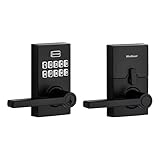
9. Kwikset 917HFL-514S Smartcode Keypad – Best for a Door That Will Never Have Wi-Fi
Kwikset SmartCode 917 Contemporary Electronic Deadbolt with Halifax Handle
No Wi-Fi or Bluetooth, ever
Up to 30 user codes
3 year battery on one 9V
BHMA AAA certified
SmartKey rekeying
Pros
- No network means no connectivity failures at all
- Three-year battery life on a single 9V cell
- BHMA AAA certification the highest residential rating
- Three entry modes including a passage mode that stays unlocked
- SmartKey lets you rekey to match existing house keys
Cons
- No remote access so no remote management of codes
- Limited to 30 codes against 50 or 100 on smart locks
- 9V battery is less common than AA
- May not fit doors with tight spacing between knob and deadbolt
The Kwikset is here as the control case. It is the lock with no radio at all, and that is the point: it is the option that cannot fail because of a network, an app, or a firmware update.
Three-year battery life on one 9V cell is the best figure in the roundup by a wide margin, and a nine-volt battery lasts years even on a door with regular guest traffic. For a back entry, a detached garage, or a rental cottage, that is a set-and-forget install.
SmartKey is the feature that has kept this product relevant. You can rekey the cylinder to match your existing Kwikset house keys in seconds, so a guest who already has a door key can use it here too.
Thirty user codes plus one-time codes is enough for a single-unit rental with a small cleaning roster. It is not enough once you are juggling several properties, and there is no way to add capacity later.
The passage mode is worth understanding before you install. It can be set to stay unlocked permanently, to auto-lock, or to require a code or key every time, and hosts with a staffed or nearby caretaker often prefer the middle setting.
Check the door spacing before ordering. On doors where the knob and deadbolt sit closer than about 5.5 inches apart, the interior assembly can conflict, and no amount of clever programming fixes a clearance problem.
Where the Kwikset is genuinely better
On battery life and on security certification, full stop. BHMA AAA is the highest residential rating, and three years on one cell removes battery alerts from your maintenance list entirely.
It is also the easiest lock here to explain to a guest. There is one number to press and a key that works. No app, no account, no pairing, nothing to fail on arrival night.
Why most hosts should not use it as their main lock
You cannot revoke a code from away, you cannot see who entered and when, and you cannot let yourself into the door from your phone. Every one of those is a reason a host moves on.
Some owners also report the interior handle loosening over time, which is a small set screw issue worth checking during any cleaning visit.
10. DESLOC B200 Fingerprint Smart Door Lock – Best Budget Fingerprint With a Gateway Path
DESLOC B200 Fingerprint Smart Door Lock, Keyless Entry Deadbolt
Bluetooth only
Gateway needed for remote
8 unlock methods
USB-C emergency port
12 months battery on 4 AA
Pros
- Eight unlock methods including a key fob in the box
- Fingerprint recognition advertised under 0.3s with 50 prints
- 12 month battery life on four AA cells
- USB-C emergency power port
- IP54 water resistance with a wide temperature range
Cons
- Bluetooth only with remote access requiring the separate G2 Gateway
- Gateway is sold separately and adds to the total cost
- Aluminum construction rather than zinc or steel
- TTLock app is less polished than the major brands
The DESLOC packs the most entry methods per dollar into this roundup. Eight unlock methods, fifty fingerprints, a 12-month battery claim, and a USB-C emergency port would be a strong showing from a lock at twice the price.
What you are actually buying without the gateway is a very good local smart lock. Bluetooth handles nearby unlocking, the app manages codes, and the keypad and fingerprint work standalone.
Self-learning fingerprint enrollment lets you register the same finger from several angles, which improves recognition for guests whose hands are dry or whose fingers are less consistent than a staff member’s.
The gateway is the decision point. If you buy the G2 Gateway, you add remote access and voice control, and you add a second device to install and maintain at a property you do not live in. Budget for both when you compare this against a lock with Wi-Fi built in.
Aluminum construction is also lighter than the zinc and steel used on the premium models, and the TTLock app is described as less polished than the apps from major brands, with fewer integrations.
The emergency USB-C port at the bottom of the lock is a real safety net. If the batteries die completely, a USB-C power bank is enough to get the door open once.
Why the DESLOC makes the cut
Twelve months of battery life, an emergency power port, and IP54 weather resistance at this level of cost is a combination the other budget entries here cannot match. For a second door or a low-traffic unit, that combination is enough.
The included key fob is also a good fit for a cleaning crew, because a fob can be handed over and recovered without explaining keypad programming to someone new every month.
Where it is the wrong buy
If your main goal is unlocking a door from your phone while you are on the road, this lock does not do that on its own. Add the gateway and the economics start to resemble a mid-tier lock with Wi-Fi built in.
At 2,381 reviews it is still a newer product on the market, so the long-term track record a rental needs, five years of guest turnover, simply does not exist yet.
How to Measure Your Door Before You Order a Lock
Most smart lock problems are door problems. Every return, every failed install, and every deadbolt that will not turn smoothly traces back to a measurement that was assumed rather than taken.
Step 1: Identify the lock type. Look at what is on the door now. A standard US deadbolt has a single cylinder and a thumbturn inside. A mortise lock sits inside the door with a lever or knob, and an exterior mortise body usually cannot be replaced with a consumer smart deadbolt. A euro cylinder is a European standard that no lock in this roundup fits.
If you cannot change the exterior hardware because of a condo board, an HOA, or a historic building restriction, you are shopping for a retrofit lock that sits on top of the existing cylinder, and none of the ten products here is one. Our guide to fingerprint door locks for homes covers the retrofit and lever formats in more detail.
Step 2: Measure door thickness. Measure the door itself, not the frame, at three points: top, middle, and bottom. Most US deadbolts here fit 1-3/8 to 1-3/4 inches. A thicker or thinner door is an automatic return.
Step 3: Measure the backset. This is the distance from the edge of the door to the center of the cylinder or latch hole. Standard US deadbolts are either 2-3/8 or 2-3/4 inches. If yours is anything else, stop and look for a lock that lists your figure.
Step 4: Test the signal at the door. Stand at the door with your phone, not in the hallway where the router sits. A lock with built-in Wi-Fi that is more than 70 feet from the router, or behind a thick wall or a metal security door, will drop off the network regularly. The Philips lists a tighter 33-foot working range than most.
Step 5: Plan the backup entry. Before ordering, confirm that the lock includes a physical key. Every lock here does, but a lock with two keys beats a lock with one when a cleaner is holding a fob and you are the only other person with access.
Also check bore diameter. The TEEHO TE002 fits standard US doors with 2-1/8 inch bores only, and the eufy C220 also lists bores under 54mm. Measuring the existing hole is faster than reading return policies.
Wi-Fi, Connectivity, and Offline Operation
Wi-Fi is not mandatory for a rental smart lock, but it is what enables remote unlock and automatic code delivery. Decide which of the two you actually need before you buy, because it changes the hardware you should be shopping for.
Every lock in this roundup works with a keypad PIN whether or not it has a radio. That is the offline fallback, and it is why a networked lock is still safe in a cabin with no signal. A guest who has the code can get in at 2am with no network anywhere in the building.
Two of the entries here have no network hardware at all: the TEEHO TE002 and the Kwikset Smartcode. Both are excellent, and neither can be managed from your phone while you are away. Three more need a bridge or gateway, which is a purchase plus a device to install.
Three recurring connectivity failures come up again and again in host discussions. Routers that broadcast only 5GHz will not pair with any of the Wi-Fi locks here, since 2.4GHz is the standard. Guest network isolation, where a router keeps IoT devices on a separate locked network, will also keep the lock from reaching the internet. And dual-band routers that put the smart devices on the wrong network strand them without an obvious error.
Our rule of thumb: if the lock is the only smart device at that property, give it its own 2.4GHz network with a simple name and password, and do not put guest Wi-Fi on the same band.
What Airbnb Native Code Sync Actually Does
Airbnb publishes a list of partner smart locks that can connect to the platform directly, and the official connection page ranks well for this query, which is why it is worth being precise about what syncing gives you.
A natively integrated lock can push a time-bound guest code to the guest as part of the booking flow, and pull a code back when the reservation ends, without you touching your phone. That removes the single most tedious task in self check-in hosting, which is manually creating, sending, and deleting a code for every booking.
What it does not do is replace your access history. The lock keeps its own log of entries regardless of whether Airbnb is connected, and that log is the part you need when a guest disputes a cleaning charge.
It also does not mean every lock on the partner list behaves identically. Eligibility, supported features, and the exact handoff differ by brand, and a lock that appears on the list may still require you to complete part of the setup in the manufacturer’s app first.
For a host already on a property management platform, the practical question is whether the lock integrates with that platform instead. Managing codes from the platform you already run your calendar and messages on removes a second daily login, which matters far more at eight units than at one.
Battery Life and the Vacant Property Risk
Battery life on a rental is not a spec-sheet number. It is the difference between a five-minute fix and an emergency trip, and it depends far more on how often the door opens than on the chemistry of the cells.
The claims in this roundup range from six months for the Schlage to three years for the Kwikset on a single 9V cell. The Tapo, ULTRALOQ Bolt SE, and DESLOC claim a year or more because they use larger or rechargeable power sources. Treat all of these as best case.
A door taking forty guest entries a week will drain cells far faster than a private home. The single most useful habit is a quarterly calendar reminder to check the battery indicator, and the second is turning on low-battery alerts in the app rather than relying on the light on the lock, which nobody is standing in front of.
Three details separate the locks here on this point. The Schlage ships with four AA batteries in the box and flags low battery on both the lock and the app. The Tapo uses a removable rechargeable pack with a USB-C emergency port, so a dead lock is a battery swap rather than a rescue. The DESLOC also has a USB-C emergency port, and the Kwikset simply will not run down for years.
The ULTRALOQ U-Bolt WiFi has no emergency 9V jump-start contacts, so a fully depleted battery there means the batteries have to be replaced before the door will respond. Worth knowing before it happens at a property you are driving toward.
One Listing or a Portfolio: Where the Per-Lock App Stops Being Enough
Up to about three units, a standalone lock app is the right answer. You create codes, you read the history, you move on. Every product in this roundup handles that job well.
Past roughly five listings, the model breaks down. A separate app per lock means separate logins, separate notifications, and no single place to answer the question a host actually asks at 9pm: who has access to which unit right now?
At that point, a centralized access platform becomes worth the subscription. RemoteLock, Lynx, and Guesty LocksManager all exist to put many doors behind one dashboard with one set of user roles, and a property management system that already handles your messages and calendar can often push codes to locks directly.
There is a practical middle step before you commit to a platform. Buy the same lock model for every unit, so you learn one app, and standardize your code naming so the cleaner code is always the same code. That alone removes most of the friction of running several brands.
Whatever the unit count, plan the code structure now. Writing that convention down stops the slow accumulation of codes that outlive their usefulness.
Frequently Asked Questions
What smart lock does Airbnb recommend?
Airbnb publishes a partner list of smart locks that connect directly to the platform, and those integrations create and delete time-bound guest codes as part of the booking flow. Being on that list does not mean the lock configures itself: you still complete setup in the manufacturer’s app, and eligibility and supported features vary by brand. The practical benefit is removing the manual work of sending a code to every guest.
What is the best lock to use for Airbnb?
The Schlage Encode Smart WiFi Deadbolt is the best overall pick for most hosts. It has built-in Wi-Fi with no hub to install, the certification and durability rating in this roundup, room for up to 100 access codes, a physical backup key, and a screwdriver-only install on a standard US door. Lighter budgets should look at the TEEHO TE002 if the property has no network.
What is the best smart lock for short-term rentals?
For weekend and short-stay turnover, the deciding features are auto-lock, a large code capacity, and codes that expire at checkout so you are not cleaning up credentials after every guest. The Schlage Encode Smart WiFi Deadbolt leads on all three. For longer mid-term stays, prioritize battery life and physical key backup over code automation, and the Kwikset Smartcode is hard to beat on both.
Do I need Wi-Fi for an Airbnb smart lock?
No, but Wi-Fi is what enables remote lock and unlock and automatic code delivery. Every lock here accepts a keypad PIN offline, which is what gets a guest through the door at 2am in a cabin with no signal. Choose a lock with built-in Wi-Fi if you want to let people in from your phone, or a keypad-only lock if you are near the property regularly.
What happens if the Wi-Fi goes down on a smart lock?
The keypad codes keep working, because code entry is handled locally on the lock itself. What you lose is remote unlock and any automatic sync, until the connection returns. This is also why every lock in this roundup includes a physical key: a lock with no key override is a lockout waiting to happen on an unattended property.
How often do smart locks need battery replacement?
Expect anywhere from six months to a year on four AA cells for a busy rental door, and up to three years on a single 9V cell for the Kwikset. The Tapo uses a removable rechargeable pack rated at a year. High-traffic doors drain faster than private homes, so turn on low-battery app alerts and check the indicator quarterly rather than waiting for a lockout.
Are smart locks more secure than traditional locks?
They are comparable at the bolt level and better in a few practical ways. Security depends on the ANSI/BHMA grade, and the Grade 1 locks here, the Schlage and both ULTRALOQ models, outrank the Grade 3 locks at the budget end. A lit keypad also signals an alarmed door, and the access log gives you a record of every entry that a traditional cylinder cannot.
Which smart lock is best if I manage multiple Airbnbs?
Up to about three units, a standalone lock app is fine. Past five, centralized access platforms such as RemoteLock, Lynx, or Guesty LocksManager put every door behind one dashboard with shared user roles, which beats juggling a separate app per lock. Before subscribing, standardize on one lock model and one code naming convention so your cleaner code is always identical across units.
Is it better to use a smart lock or a lockbox for Airbnb?
A smart lock wins on guest experience: no code to transcribe, no box to fumble with in the dark, and a record of every entry. A lockbox wins on cost and on doors you cannot change, such as a mortise or euro cylinder door, a historic property, or one governed by a condo board. Many hosts keep a lockbox as a backup entry even after installing a smart lock.
What is the 80/20 rule in Airbnb?
Roughly 20 percent of your bookings generate around 80 percent of your revenue. Applied to hardware, that means the locks on your highest-earning listings deserve the Wi-Fi, battery life, and physical key backup, while secondary doors can run on a simple keypad lock. It is also the reason lock downtime on those few listings hurts far more than on the long tail.
Which Smart Lock Should You Actually Install?
The best smart locks for Airbnb rentals come down to one honest question: how often are you near the door. If you are rarely there, you need built-in Wi-Fi, and the Schlage Encode Smart WiFi Deadbolt is the pick because it holds the most codes, ships with a physical key, and has a review base deep enough to trust after a few years of turnover.
If the property has no reliable signal or you want the simplest thing that works, the TEEHO TE002 removes rekeying entirely and costs the least. If you are past a handful of listings, standardize on one model now, because the second you run mixed brands across doors is the day access management becomes a full-time job rather than an app.
Measure your door first. Everything above assumes a standard US deadbolt, and the measurements take five minutes compared with the return shipping if you guess wrong.